7
Logo Screen
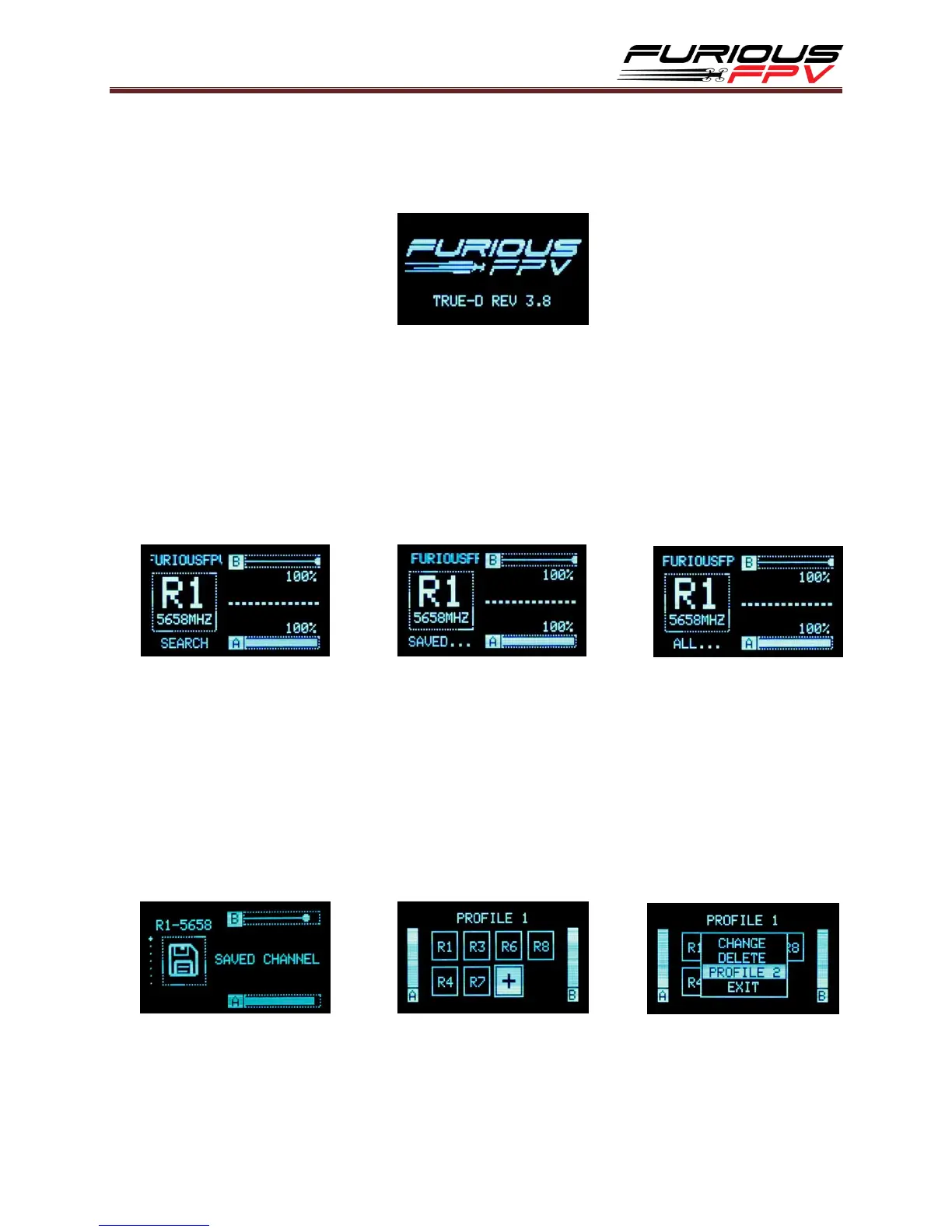
When powering on the goggles, the OLED screen will display the FuriousFPV Logo or
Custom Logo and the name of firmware version installed.
Active Channel
Show band, channel number, frequency and call sign.
Hold Up button to quick smart search.
Hold Down to switch Saved or All Channels in quick access and press Up/Down to
switch between channels in the each mode.
Hold Mode button to Lock/Save/Exit.
Saved Channels
Show all saved band and channel numbers.
There are two profiles and maximum 8 channels for each profile.
Hold Mode button for about 2s, the pop-up will display:
Change: select channel for the profile.
Delete: delete undesired channel.
Profile: Change to other profile by Mode button.
Exit: turn off pop-up.
*Note: Hold Up/Down button: Switch back and forth two profiles.


 To Next Page