
 Need help?
Do you have a question about the Fusion RV-IN801 and is the answer not in the manual?
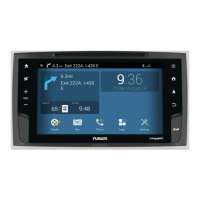
Explains the main interface, status bar, and navigation widget on the home screen.
Outlines features enabled by Bluetooth pairing, including audio and hands-free calling.
Guides users through the process of connecting a phone or media player via Bluetooth.
Instructions on selecting media sources like audio or video and choosing content.
Information on playing audio from paired Bluetooth devices, including limitations.
Steps to play audio from a paired Bluetooth device through the FUSION system.
How to connect and play media from USB, microSD, and Apple devices.
Connect and play media from USB drives or portable media players.
Introduction to SiriusXM service, requirements, and setup information.
Guide to activating a SiriusXM subscription using the Radio ID.
Information on how to set up and manage parental controls for SiriusXM channels.
Steps to lock or unlock specific SiriusXM channels using a passcode.
Process for accessing a SiriusXM channel that has been locked by parental controls.
Method to temporarily disable parental controls to access locked channels.
Guide to changing the 4-digit passcode for parental controls.
Provides common issues and their resolutions for SiriusXM service.
Explains how to create and manage vehicle profiles for tailored navigation settings.
Information about creating routes, including destination calculation and preferences.
Guides on how to initiate navigation to a destination using search or map.
Steps to add intermediate destinations to an active route.
How to begin navigation by selecting a location directly from the map interface.
Instructions for setting and navigating to your home location.
Explains the map display during navigation, including turn instructions and status.
Describes the visual lane guidance feature that assists with turns and exits.
Overview of methods to find, search, and save locations on the device.
How to use the search bar to find addresses, cities, or businesses.
Information on finding useful places like gas stations, restaurants, and hotels by category.
Steps to search for locations using pre-defined categories.
How to locate nearby hospitals, police stations, fuel, or roadside assistance.
Setting preferences to avoid specific road features, tolls, or areas.
Connecting a smartphone for remote control and additional app usage.
Guide to installing and configuring the Auto+ Connect app on a smartphone.
Using the device for hands-free phone calls via Bluetooth.
Configuring navigation parameters like vehicle profile, route calculation, and avoidances.
Instructions for updating the device's maps and software using a microSD or USB drive.
Lists the technical specifications of the FUSION RV-IN801 system.
 General
| Resolution | 1024 x 600 |
|---|---|
| Touchscreen | Yes |
| Bluetooth | Yes |
| Wi-Fi | Yes |
| GPS | Yes |
| Apple CarPlay | Yes |
| Android Auto | Yes |
| USB | Yes |
| SD Card Slot | Yes |
| AM/FM Radio | Yes |
| SiriusXM-Ready | Yes |
| Rear View Camera Input | Yes |
| Video Playback | Yes |
| Audio Playback | Yes |
| Display Size | 8 inches |

 To Next Page