

EasyManua.ls Logo

Fusion TV-M220DVD - User Manual

Fusion TV-M220DVD
16 pages
Print Icon
To Next Page IconTo Next Page
Loading...
User / Installation Manual
Marine HD Widescreen
LCD Television With DVD
TV-M160DVD, TV-M190DVD, TV-M220DVD
Question and Answer IconNeed help?

Do you have a question about the Fusion TV-M220DVD and is the answer not in the manual?

Summary

Safety Information and Warnings

General Safety Instructions

Essential safety guidelines for operating the television, covering usage, cleaning, and placement.

Warning Symbols Explained

Explains the meaning of warning symbols like lightning flash and exclamation point in the manual.

Setup and Initial Configuration

Wall Mounting and Important Notes

Instructions for wall mounting and key operational notes like remote care and screen burn-in.

Remote Control Guide

Remote Control Functions

Detailed explanation of each button's function on the television's remote control.

Connecting Audio-Visual Sources

Channel Management and Tuning

Picture Quality Settings

Time and Sleep Functionality

Audio and System Options

PVR Recording Features

PVR File System and Formatting

Details on the PVR file system, checking, formatting, and creating a PVR file system on a USB device.

Product Specifications and Troubleshooting

Troubleshooting Common Issues

Common problems and their corresponding solutions for picture, sound, and remote control issues.
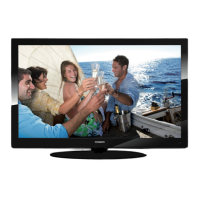
Fusion TV-M220DVD Specifications

General IconGeneral
BrandFusion
ModelTV-M220DVD
CategoryLCD TV
LanguageEnglish