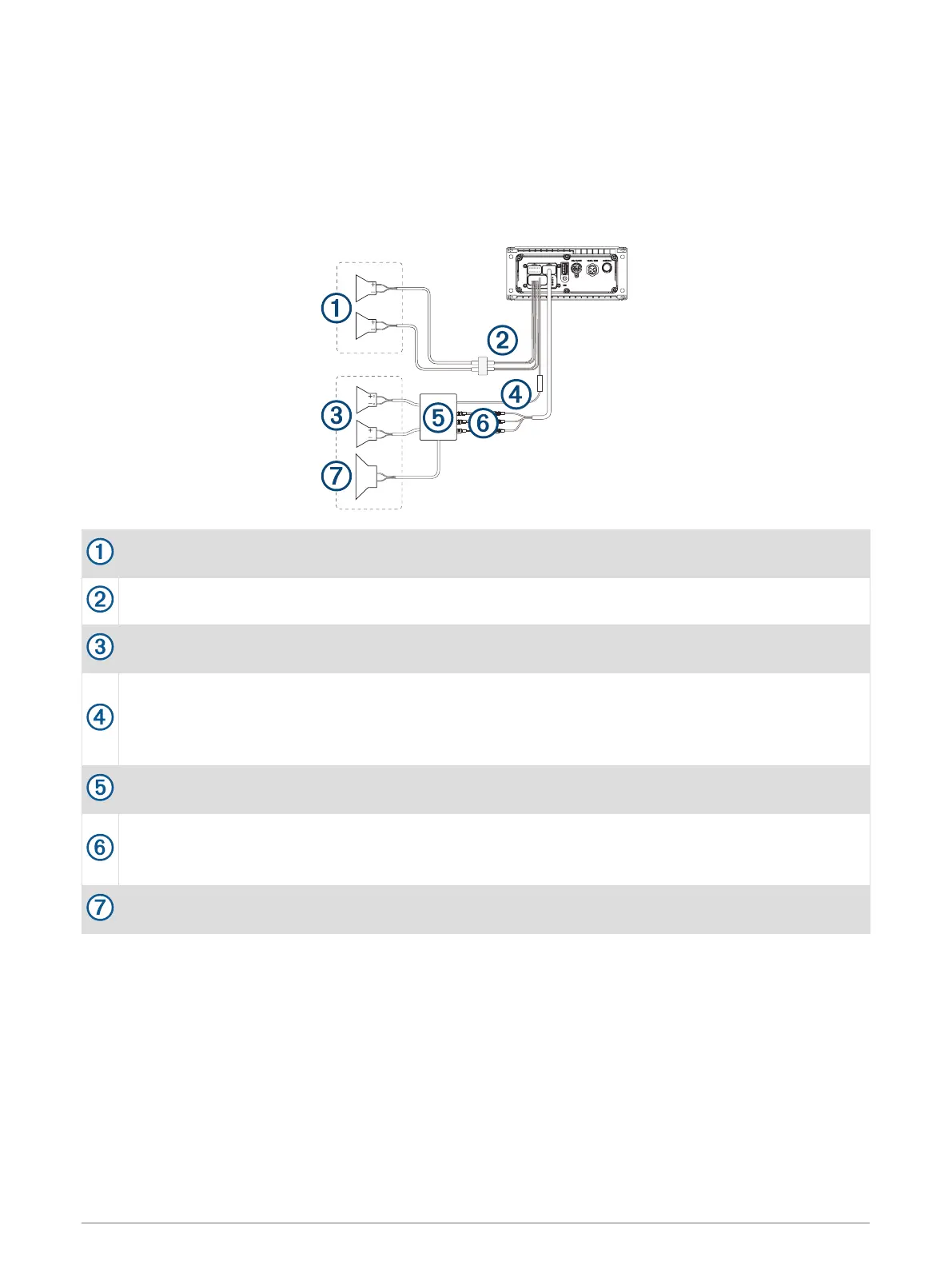
Speaker System Wiring Using a Line Out
This diagram illustrates a system installation with an external amplifier and subwoofer connected to zone 2 on
the stereo using a line out. You can connect an amplifier and subwoofer to any or all of the available zones on
the stereo.
NOTE: You can connect speakers to the speaker wires for the internal stereo amplifier while using the line out
on zones 1 and 2, although adjusting the volume affects both the speakers connected to the internal amplifier
and the line out. This may result in uneven volume levels.
Zone 1 speakers
Water-tight connection
Zone 2 speakers
Amplifier-on signal wire
You must connect this wire to each amplifier connected to a zone line out.
A connected amplifier must use the same ground (-) as the stereo for this signal wire to function
correctly.
Powered amplifier connected to the zone 2 line out
Zone 2 line out and subwoofer out
Each subwoofer cable provides a single mono output to a powered subwoofer or subwoofer amplifier.
You may need to use an RCA splitter to connect this to an amplifier.
Subwoofer
Connecting a SiriusXM Tuner Module
This device is compatible with a SiriusXM SXV300 or newer vehicle tuner module.
1 If you have already connected a USB source, a NMEA 2000 cable, or both, disconnect them from the stereo.
2 Connect the cable from the SiriusXM tuner module to the SXM TUNER port on the back of the stereo.
3 If necessary, reconnect the USB source, the NMEA 2000 cable, or both.
4 Complete the stereo installation.
10 MS-RA210 Installation Instructions


 To Next Page