72
< Linkagemenu >
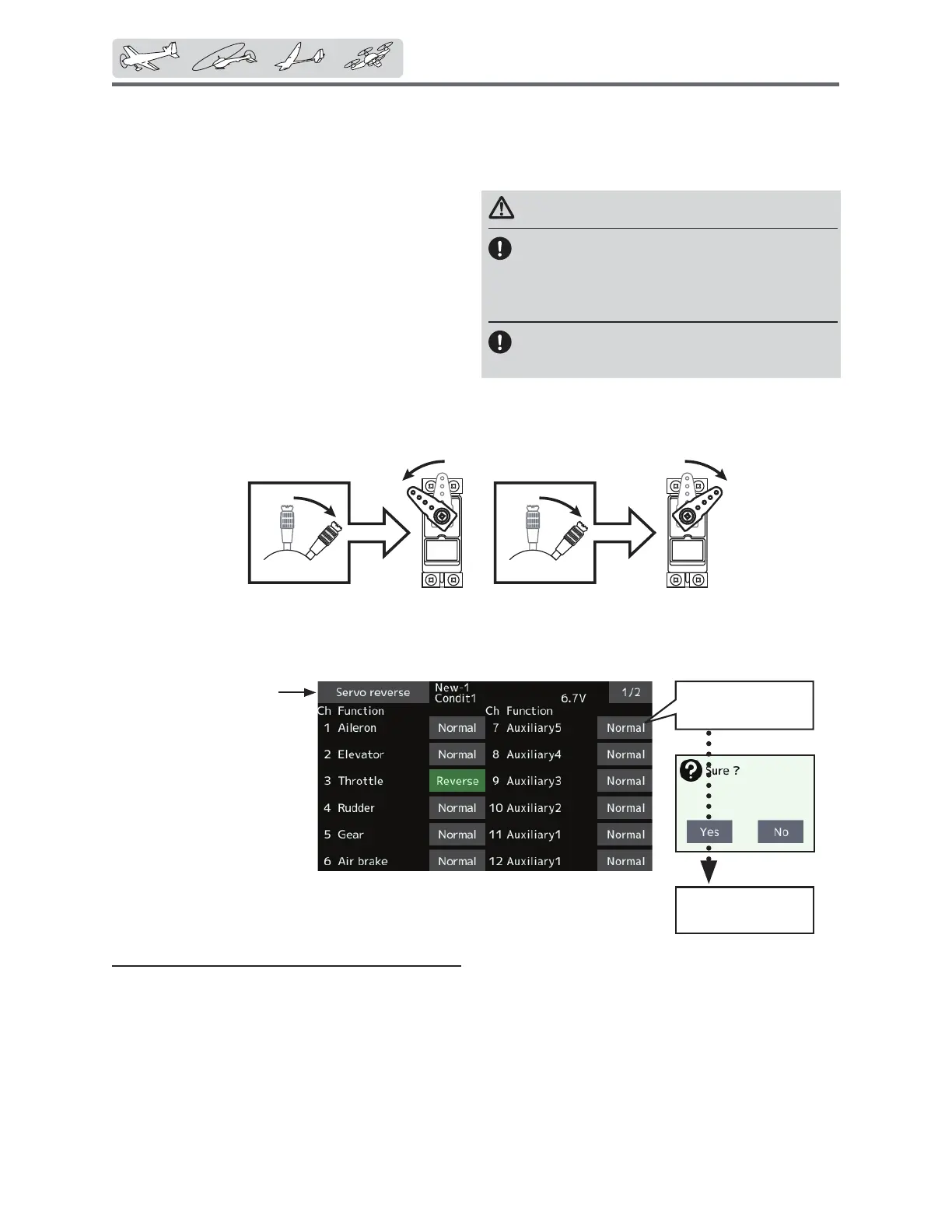
Tapthechannelyou
wishtoreverse.
Tapthe “Yes”
→ Reverse
ŏ7DSWKH>6HUYRUHYHUVH@EXWWRQLQWKH/LQNDJH
PHQXWRFDOOWKHVHWXSVFUHHQVKRZQEHORZ
ServoReverse
8VHWRUHYHUVHWKHVHUYRWKURZGLUHFWLRQ
(Thedisplayscreenisanexample.Thescreendependsonthemodeltype.)
Servo Reverse changes the direction of an
LQGLYLGXDOVHUYR¶VUHVSRQVHWRDFRQWUROVWLFN
movement.
For CCPM helicopters, be sure to read the
section on Swash AFR before reversing any servos.
With CCPM helicopters, always complete your
servo reversing prior to any other programming.
,I\RXXVHSUHEXLOW$LUSODQH*OLGHUIXQFWLRQVWKDW
control multiple servos, it may be confusing to
tell whether the servo needs to be reversed or a
setting in the function needs to be reversed. See the
instructions for each specialized function for further
details. Always check servo direction prior to every
Servo reversing procedure
After setting up a new model, be sure to
GHILQHDOOVSHFLDOPHQXV%HVXUHWKDWDOOVHUYRV
are plugged into the proper receiver channels.
1RZGHWHUPLQHZKHWKHU\RXQHHGWRUHYHUVHDQ\
channels by moving each stick and observing the
FRUUHVSRQGLQJPRYHPHQWLQWKHPRGHO¶VFRQWUROV
ÀLJKWDVDQDGGLWLRQDOSUHFDXWLRQWRFRQ¿UPSURSHU
model memory, hook ups, and radio function.
WARNING
Beforeaflight,alwayscheckthatyour
model'sservooperation,thedirection
ofcontrolsurfaces,andswitchsetup
arecorrect.
Defaultsettingofthethrottle/motor
channelisalwaysreverse.
7DSWKHGHVLUHGFKDQQHO·VVHWWLQJEXWWRQWR
FKRRVHWKHSURSHUGLUHFWLRQIRUWKHVHUYR
7DS´<HVµLQWKHQH[WVFUHHQ
5HSHDWIRUHDFKVHUYRQHHGLQJUHYHUVDO
:KHQGRQHWDS´6HUYRUHYHUVHµWRUHWXUQWR
WKH/LQNDJHPHQX
ŏ5HWXUQWR/LQNDJHPHQX


 To Next Page
 Loading...











