5
STEP 2
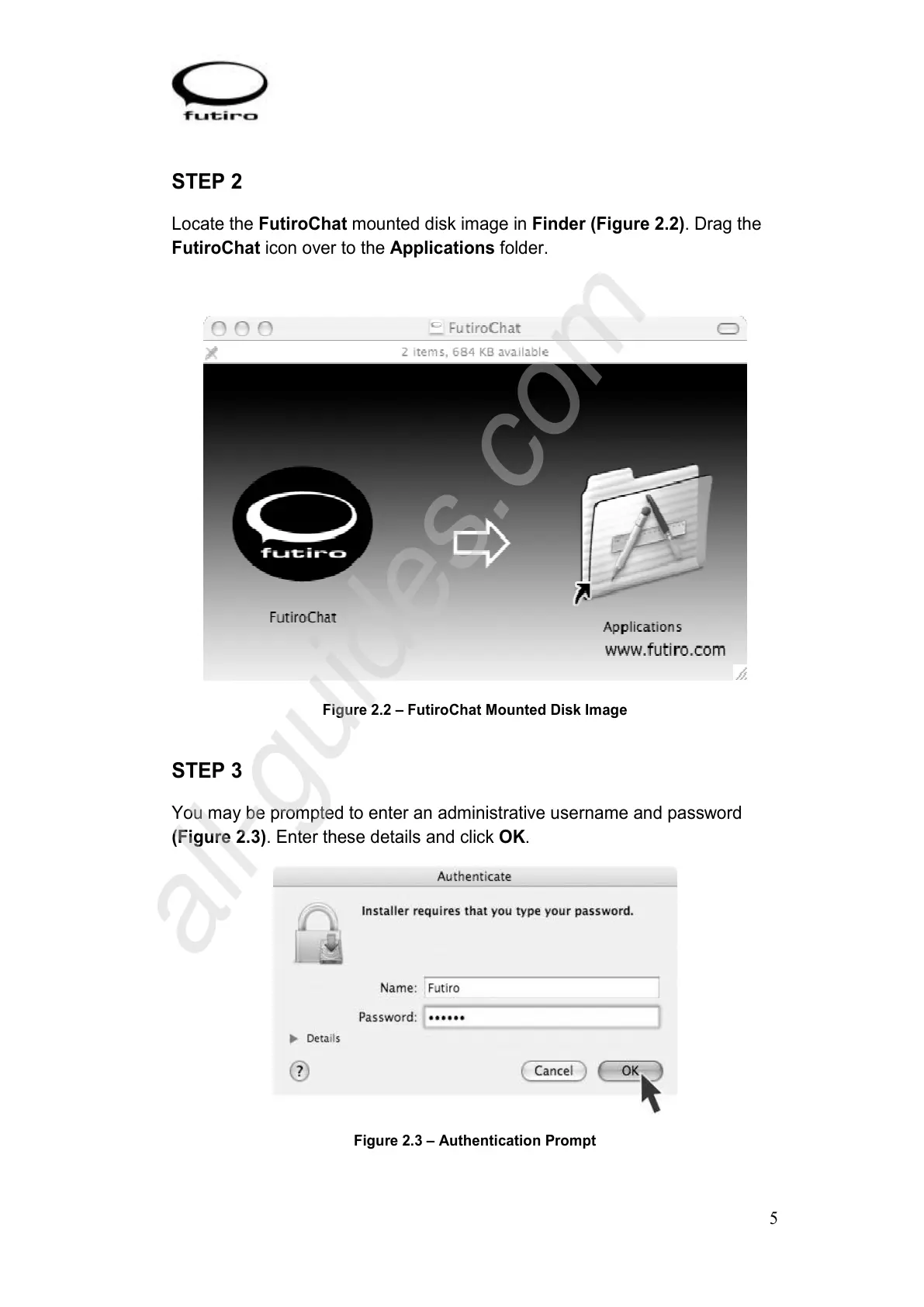
Locate the FutiroChat mounted disk image in Finder (Figure 2.2). Drag the
FutiroChat icon over to the Applications folder.
Figure 2.2 – FutiroChat Mounted Disk Image
STEP 3
You may be prompted to enter an administrative username and password
(Figure 2.3). Enter these details and click OK.
Figure 2.3 – Authentication Prompt



 To Next Page