51834295_V_1_7.DOC
54/60
Record deletion:
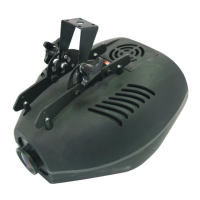
The record can be deleted from the record selection by pressing the DELETE (LEFT) button. The controller
asks for the confirmation of the deletion, then carries it out after clicking the YES button.
Record copy:
Events can be copied to vacant places. This could be reasonable if you want to use several events which
have only a few differences. In this case create the first event, then copy it to a vacant place, and then
modify it.
First select the event which you would like to copy, and press the NEW button. Its LED starts blinking and on
the lower line of the display you can read the text to be copied. Select a vacant place with buttons 1-32
where you would like to copy the event to. The display shows the info about source and destination places. If
you press ESC the controller return without copying, press ENTER to copy the event.
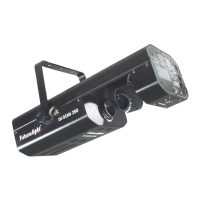
MENU 6: FUNCTION BUTTONS
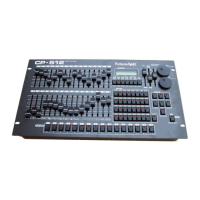
The function buttons on the controller have the denomination F1-F8. You can program a function to these
buttons. Assign the functions most important to you. This way the controller is used best.
Set the flashing value with the UP/DOWN buttons. First select one of the F1-F8 buttons, then press ENTER.
The next flashing parameter will be the function name. Select a button with the UP/DOWN buttons. There
are functions that do not have any parameter, in this case you cannot advance by pressing the ENTER
button. Return by pressing the ESC button. If you do not want to assign any function to a button, delete by
pressing the DELETE button.
Selectable functions and their description
GROUP
The controller can run four programs at the same time. The parallel program run can be made in groups. The
controller can manage a total of 4 groups, each group can be run with a different speed.
The parameter of the function is the group number from 1 to 4. If only one group is used, it is not worth
assigning it to a button, however, in case of two it is necessary.
BLACK-OUT
When being pressed, the function will close the units, which means that it will produce a black-out function. It
is a unique feature of this controller that it can be set by parameters, as it can be specified which units it
should affect from 1-16. Thus - if necessary - more function buttons can be named as BLACK-OUT, and can
be set so that, for example, by pressing one of them, only the lamps at the stage edge are to go dark, while
by pressing the other one the rear lamps are to go dark, and you can set a third function to black-out to close
all of them. The unit can be designated with buttons 1-16 after the B-OUT parameter has been selected. In
addition it can be set by other parameters so that the movement of the units is to stop during the BLACK-
OUT or is to run on, of course, in a closed state. These are the STOP or ‘-‘ wordings.
MUSIC
The music mode can be activated not only by setting the WAIT pot to its maximum value, but it can be
assigned to a function button as well. Which group it should affect can also be set by parameters.
After pressing it the groups assigned will advance, create framing according to the rate of the built-in
microphone.
STOP
The ‘stop’ mode can be activated not only by setting the WAIT pot to its minimum value, but it can be
assigned to a function button as well. Which group it should affect can also be set by parameters.
After pressing it the group program assigned will stop framing.


 To Next Page