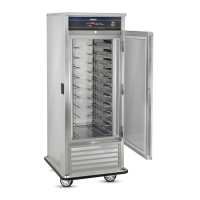
1) PLUG CABINET INTO A PROPERLY GROUNDED POWER
RECEPTACLE. Press ON/OFF Icon to “ON” position. The red
indicating light will come on and remain on until power button
is pressed to “OFF”, or the unit is unplugged.
2) CONDENSER CLEARANCE. Keep a minimum of 6'' clear all
around unit to allow condenser to vent warm air.
3) SELECT A TEMPERATURE SETTING.
Pre-Set at 35°F for REFRIGERATOR:
Temperature Range: 33°F to 41°F (1°C to 5°C)
Pre-Set at 15°F for FREEZER:
Temperature Range: 5°F to 32°F (-15°C to 0°C)
Press ▲ to raise the temperature of the cabinet and scroll to
desired temperature. Press ▼ to lower the temperature of the
cabinet and scroll to desired temperature.
4) PRE-CONDITION CABINET FOR 30-60 MINUTES.
Your cabinet should be pre-cooled 30-60 minutes before loading
at your desired set temperature.
AVOID PUTTING HOT FOODS INTO A COLD CABINET!
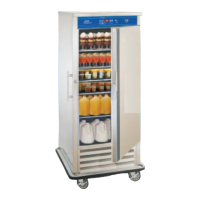
5) LOADING THE CABINET - During the loading procedure, keep
the doors closed as much as possible. After loading is completed,
do not open doors again until you are ready to serve.
6) TRANSPORTING FOODS - Your cabinet is equipped with a
positive transportation latch to assure safety during transportation.
After loading the cabinet, keep it plugged in with the door closed
and wait 15 - 20 minutes before moving it, to allow it to reach
maximum holding temperature. Then wheel to serving area, and
plug the cabinet into an electrical outlet at the serving location
(if available), so that the compressor will re-activate and
automatically hold at the pre-selected temperature.
GENERAL OPERATING INSTRUCTIONS
OPERATING THE CABINET
5


 To Next Page