9
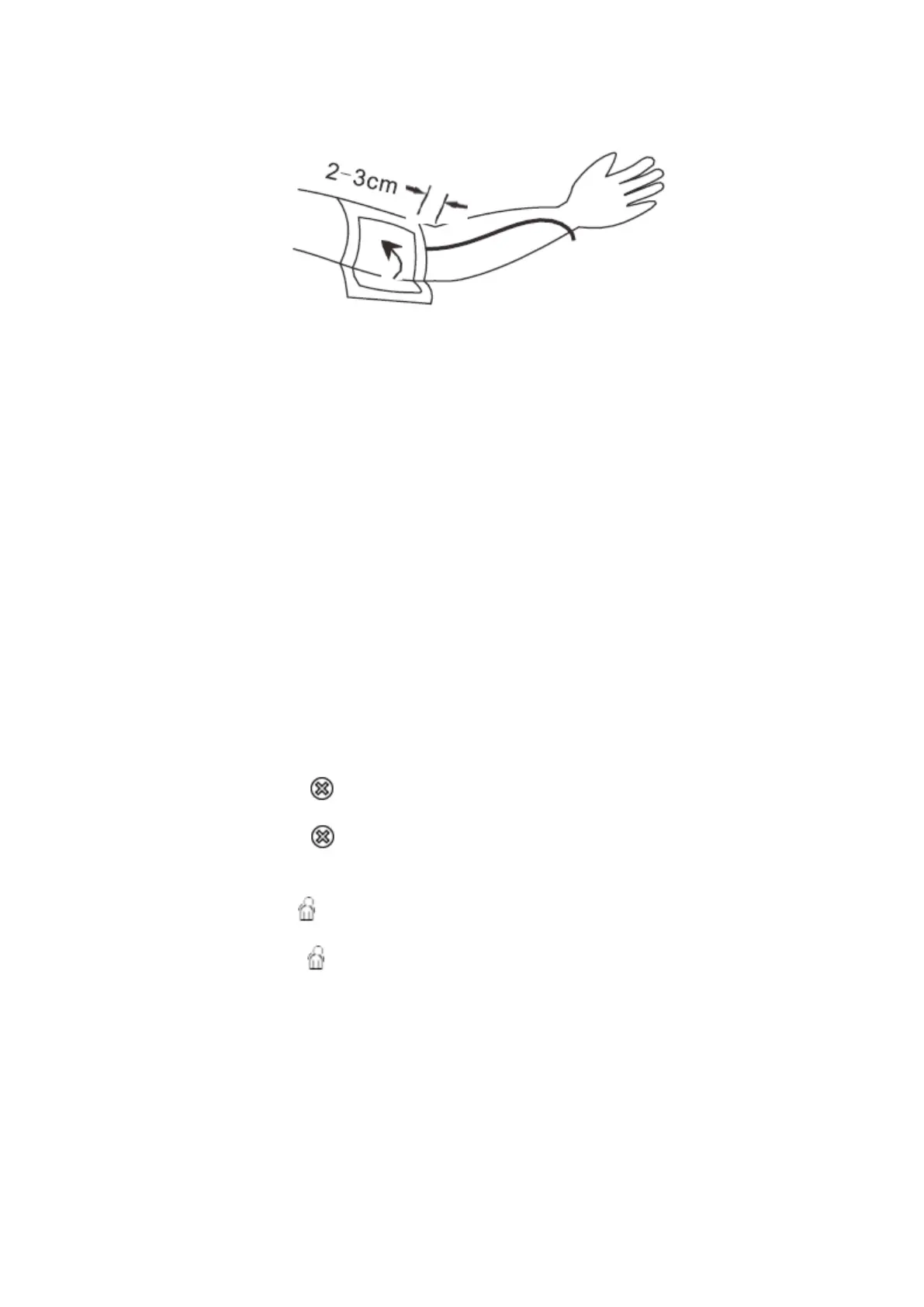
Picture-05
5.3 Measure Procedure
Refer to picture-06
1. Sit comfortably in a chair with your feet flat on the floor.
2. Select your User ID (A or B).
3. Stretch your arm forward on the desk and keep relaxing, make sure the palm of hand is upturned.
Make sure arm is in correct position, to avoid body movement. Sit still and do not talk or move during
the measurement.
After the cuff has been appropriately positioned on the arm and connected to the blood pressure
monitor, the measurement can begin:
a) Press the START/STOP button. The pump begins to inflate the cuff. In the display, the increasing
cuff pressure is continually displayed.
b) After automatically reaching an individual pressure, the pump stops and the pressure slowly falls.
The cuff pressure is displayed during the measurement.
c) When the device has detected your pulse, the heart symbol in the display begins to blink.
d) When the measurement has been concluded, the measured systolic and diastolic blood pressure
values, as well as the pulse will be displayed.
e) The measurement results are displayed until you switch the device off. If no button is pressed for 60
seconds, the device switches off automatically.
f) Cuff self-checking symbol ( )
The cuff incorrect symbol ( ) will be displayed if the cuff wrapping too loose to detect enough
pressure.
g) Movement error symbol ( )
The Movement Error Symbol ( ) is displayed if you move your body during the measurement. Please
remove the cuff, and wait 2-3 minutes. Reapply the cuff and take another measurement.
NOTE:
Patient Position:
3) Feet flat on the floor 4) Back and arm supported
5) Middle of the CUFF at the level of the right
atrium of the heart


 To Next Page