63
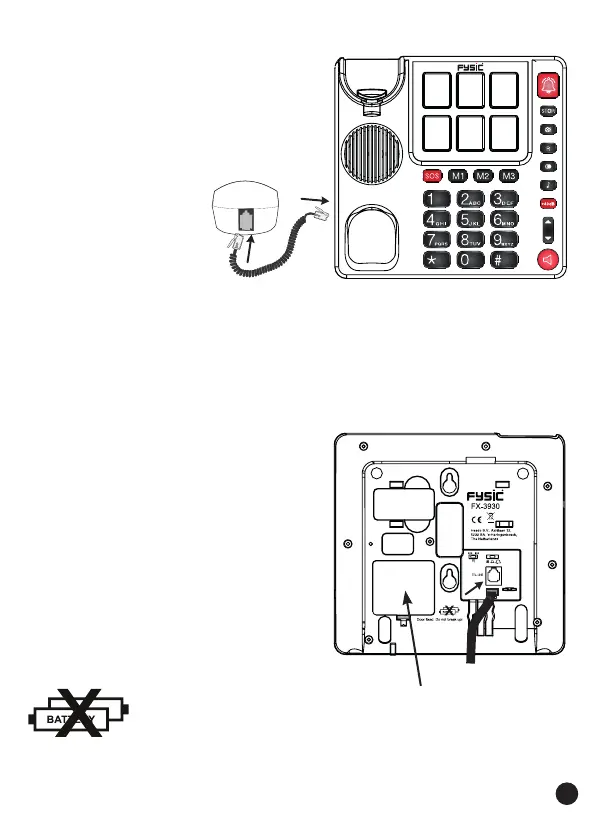
4.3 Receiver:
1. connect the receiver with
the telephone by attach-
ing one side of the spiral
cable to the bottom of the
receiver and
the other side
to the left side
of the tele-
phone
2.
push in the plugs until they’re securely connected
4.4 Telephone:
1. plug the telephone wire
into the bottom of the
telephone
2. insert the telephone plug
into a telephone wall
socket
The FX-3930 requires NO batteries


 To Next Page