
 Need help?
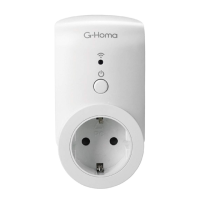
Do you have a question about the G-Homa EMW302WF and is the answer not in the manual?
Add your first device by clicking 'Add my first device' or the '+' icon.
Connect the device to your Wi-Fi network following the app's procedures.
Connect device using Manual Mode (AP mode) via Wi-Fi settings.
Check for and install new firmware updates for the device.
Update account password or delete the user account.
Configure fixed or peak-valley tariffs for energy monitoring.
Create new linkages using IF/THEN rules for device automation.
 General
| Brand | G-Homa |
|---|---|
| Model | EMW302WF |
| Category | Home Automation |
| Language | English |

 To Next Page