8
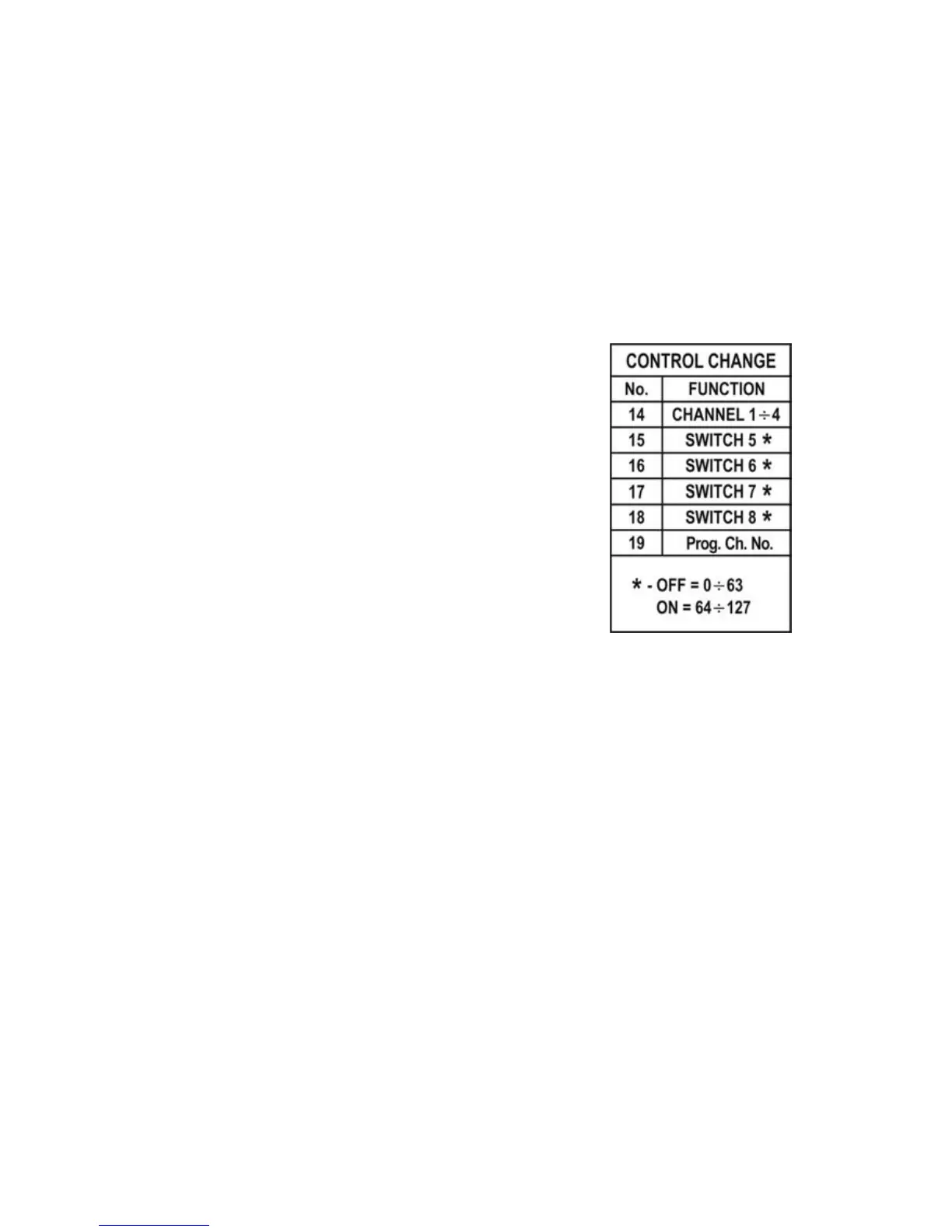
In the table below are shown the controllers’
numbers and functions. Controllers from 14 to 18
serve for individual control on every function and the
controller number 19 function similarly to the
Program Change command (sets the amp channel
and other amp functions).
Power supply
MAC should be supplied with 9V (DC) external adaptor with current 0,15 A or
more. It can be also supplied from MIDI IN (MIDI PHANTOM) connector via MIDI cable.
In such case it is needed to use the five wire MIDI cable and to set the power supply
switch on MIDI IN PHANTOM mode. Together with the device comes the adaptor
serving to divide the supply and the MIDI signal.


 To Next Page