7
Controlling via MIDI commands
MAC-4.4 can be controlled by Program
Change and/or Control Change commands.
To choose the commands’ type received by the
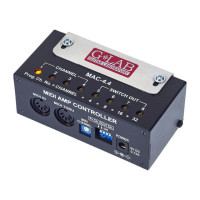
controller use the Pr.Ch. and Ctrl Ch micro-
switches. ON position indicates that the
commands will be received.
In case of using Program Change command
the program number should be counted by
following formula:
Program number= amp channel number + SUM
SUM = 0 + 4 (if the output No. 5 is active) + 8
(if the output No. 6 is active) + 16 (if the output
No. 7 is active) + 32 (if the output No. 8 is active)
SWITCH OUT
5678
+4 +8 +16 +32 SUM
OFF OFF OFF OFF 0
ON OFF OFF OFF 4
OFF ON OFF OFF 8
ON ON OFF OFF 12
OFF OFF ON OFF 16
ON OFF ON OFF 20
OFF ON ON OFF 24
ON ON ON OFF 28
OFF OFF OFF ON 32
ON OFF OFF ON 36
OFF ON OFF ON 40
ON ON OFF ON 44
OFF OFF ON ON 48
ON OFF ON ON 52
OFF ON ON ON 56
ON ON ON ON 60


 To Next Page