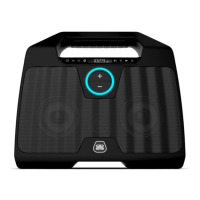
BLUETOOTH WIRELESS BOOMBOX
G-BOOMG-BOOM
WHEN TO RECHARGE BATTERY
When G-BOOM2 battery is low, the red LED Charging indicator will begin ashing
to warn you to recharge your G-BOOM2 for continued use and enjoyment.
NOTES:
•
The battery is internal and cannot be replaced
•
Actual battery life varies with use, settings, and environmental conditions
•
Rechargeable batteries have a limited number of charge cycles
•
Charge the rechargeable battery at least biannually
CHANGING THE INPUT SOURCE
When G-BOOM2 powers “ON”, the default audio input source is FM radio.
To switch to Bluetooth, press the Bluetooth PAIR button once and G-BOOM2 will
enter Bluetooth mode.
NOTE: If inserting audio cable into the Line-In Jack, G-BOOM2 will change to Line-In mode
automatically regardless of the current input source.


 To Next Page