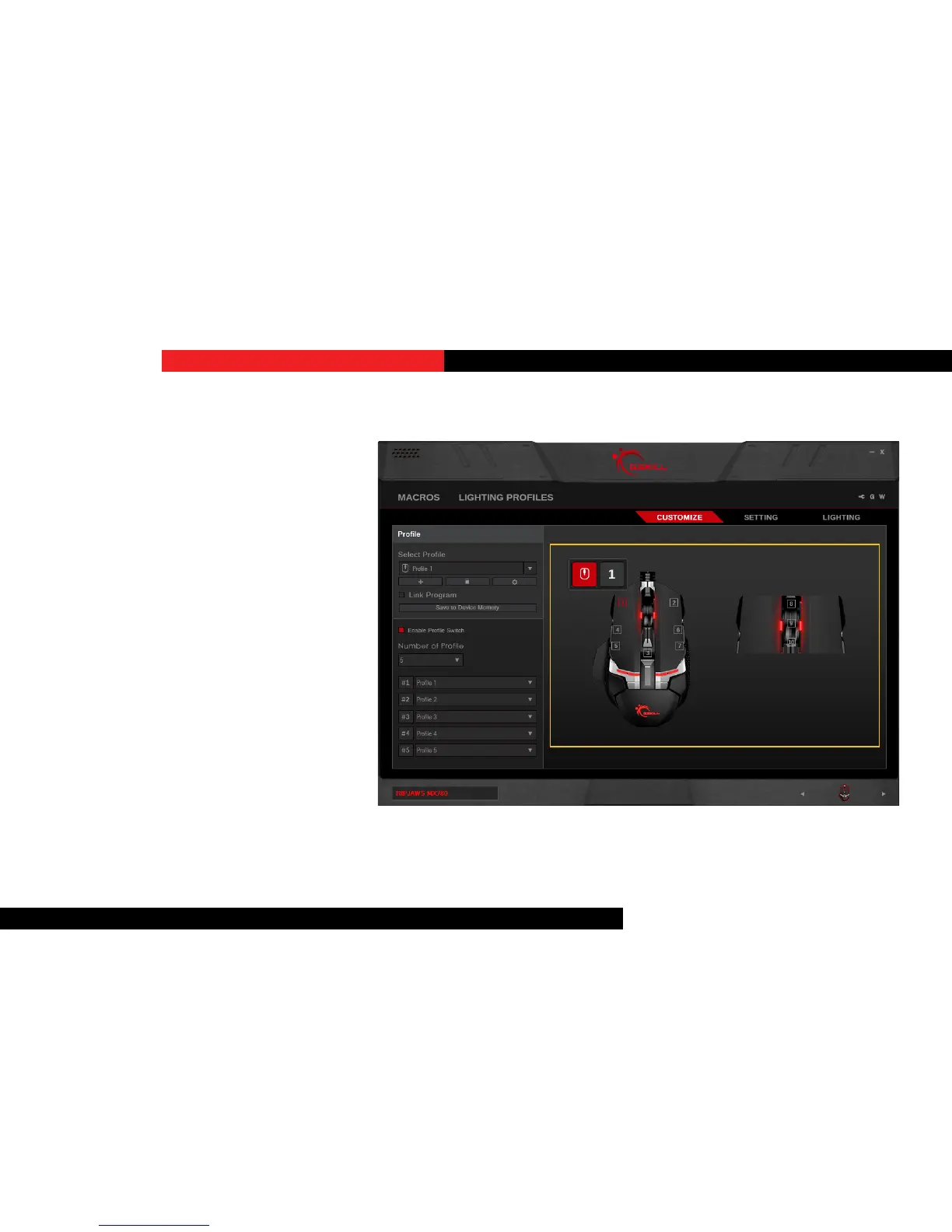
CustomizeaProgrammableKey
Click on the key you wish to customize,
and a “Key Assignment” window will pop
up. Choose from the drop-down list for
the desired funcon. Once the desired
funcon is selected, click “Save” to return
to the “Customize” menu.
Once you have nished customizing the
key funcons, please click “Save to Device
Memory” under the prole name to apply
the sengs.
Note: Make sure you the correct prole
is selected before customizing the key
funcon to prevent unwanted changes.
Keys


 To Next Page