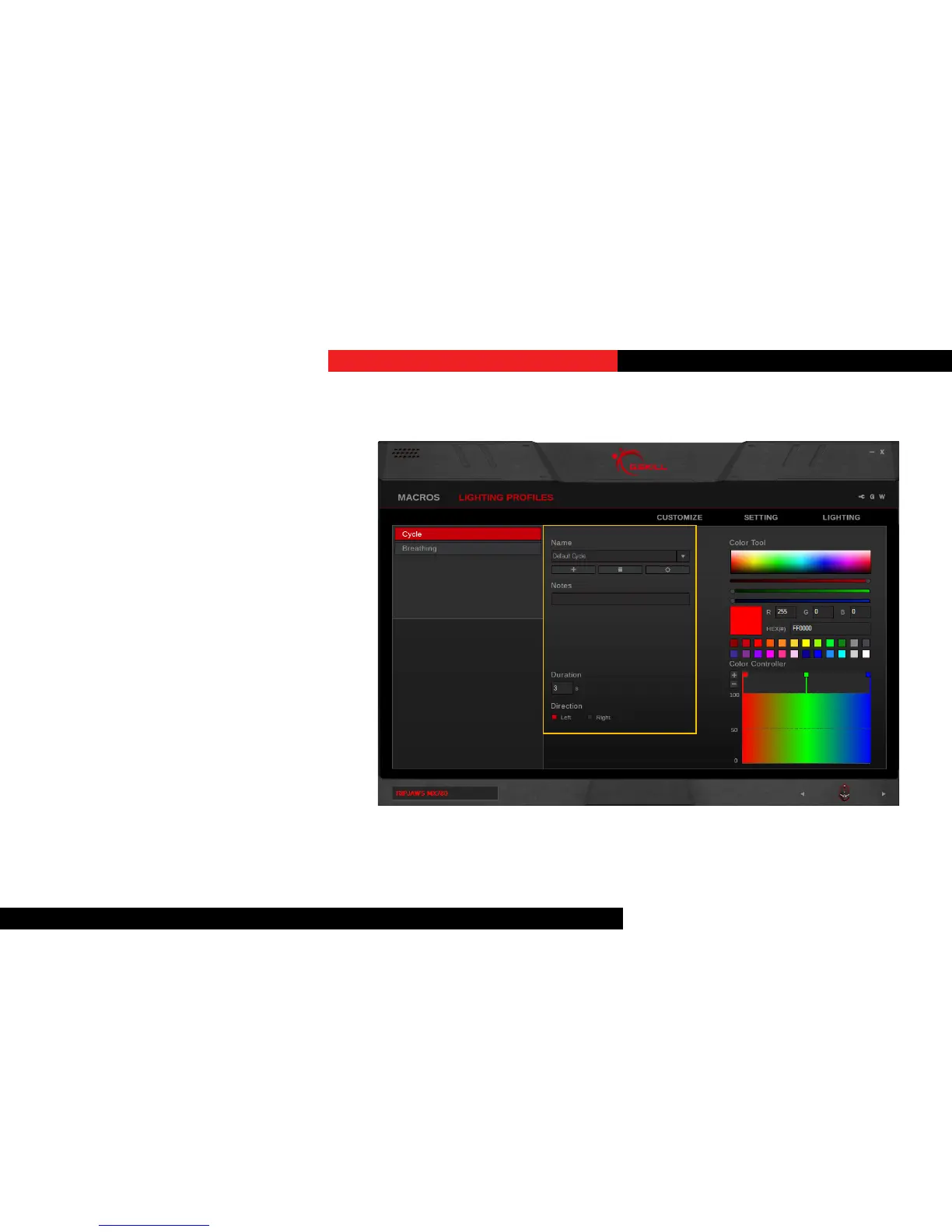
CreateaLighngProle
First, select a lighng category, then click
on the “+” buon under “Name” to create
a lighng prole.
Once a lighng prole is created,
associated opons will be available for
customizing.
Each lighng prole will be automacally
saved. However, to apply the lighng
paern to the device, please go to the
“Lighng” secon and choose a lighng
prole to apply.
Lighting Proles


 To Next Page