AddaColor
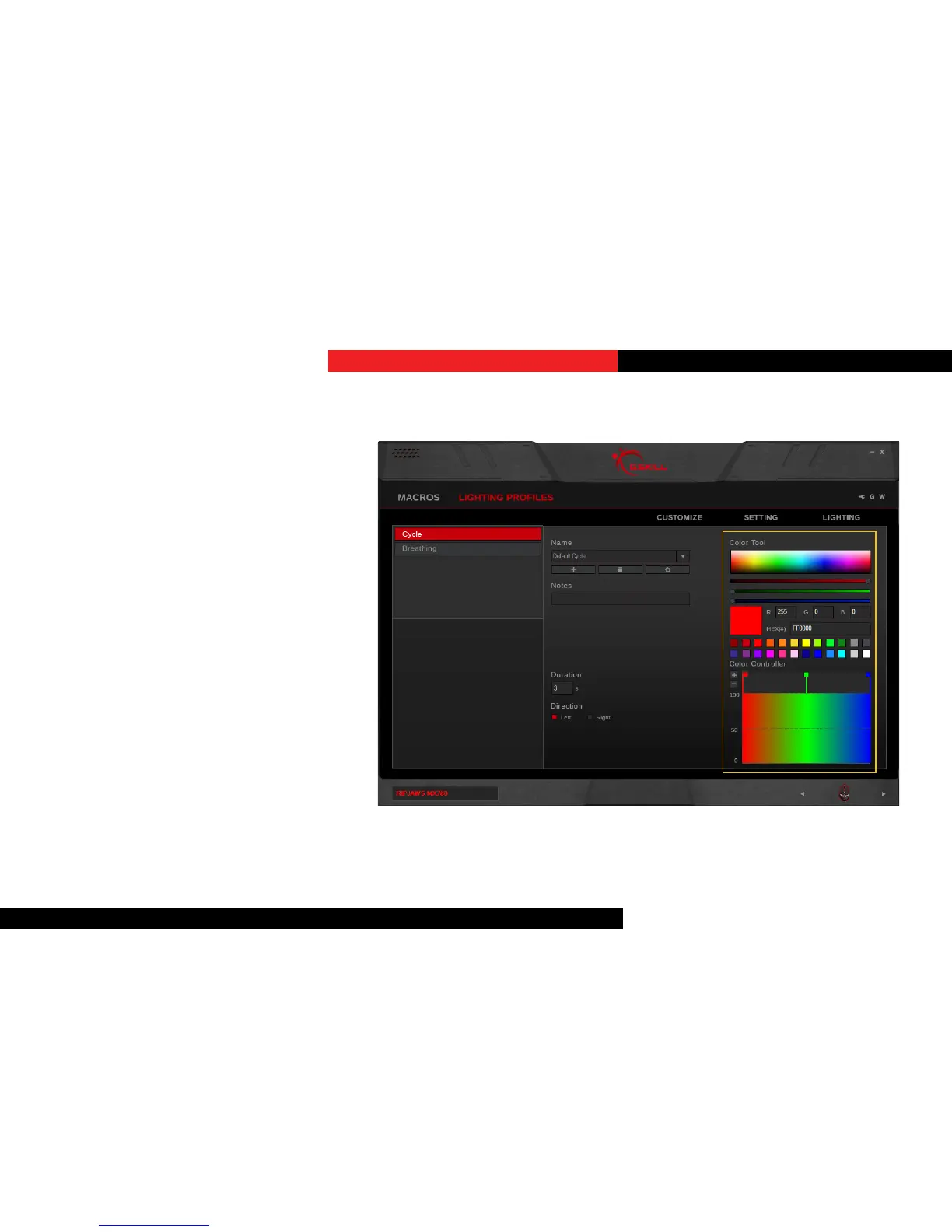
To increase a color point, click on the
“+” under “Color Controller” in the right
column. A new color point will be added.
ChangeaColor
Click the square of a color point under
“Color Controller”, and then change the
color by doing one of the following:
1. Click in the color selecon rectangle
2. Click and drag the RGB color slider
3. Enter the RGB value
4. Enter the HEX color code
5. Select from the preset color palee
Lighting Proles


 To Next Page