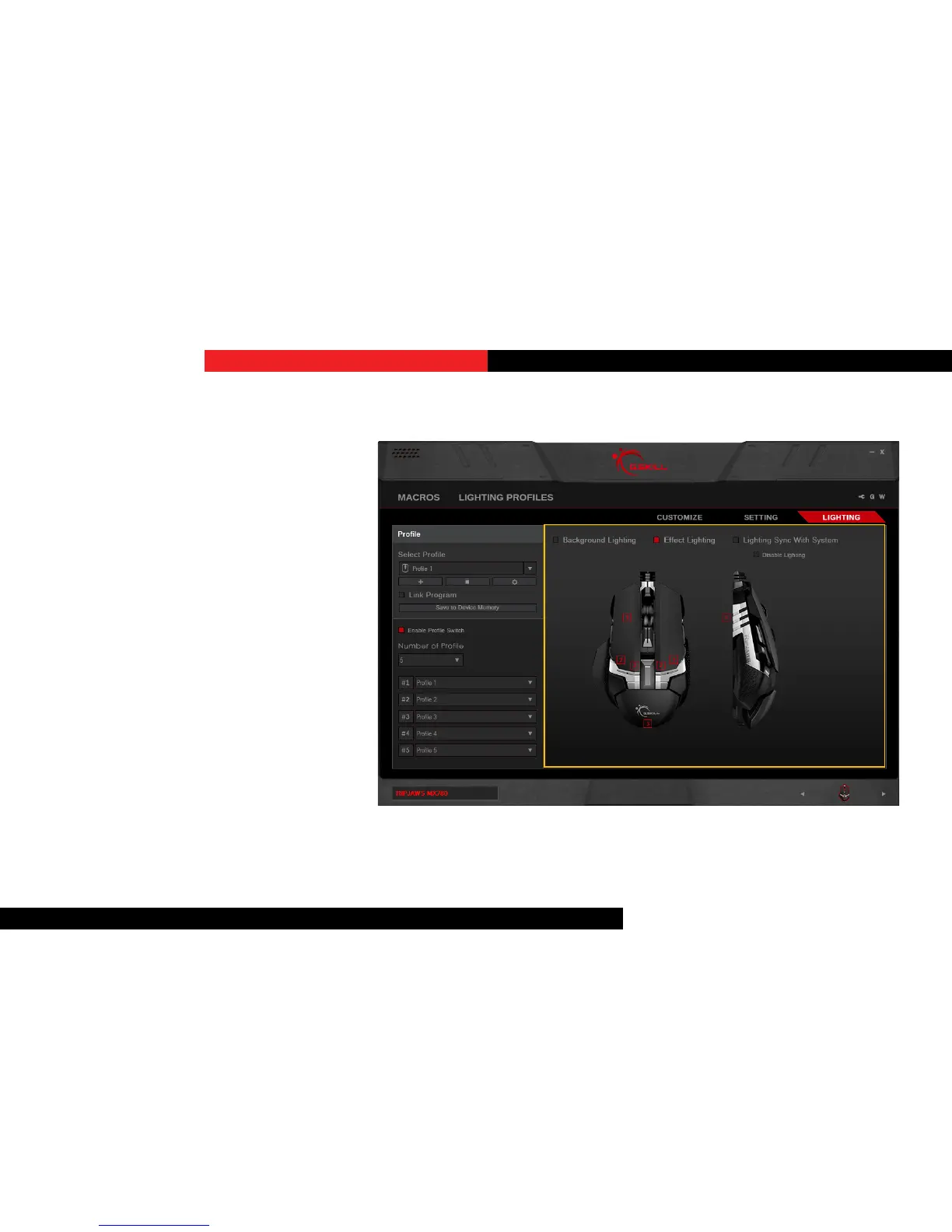
EectLighng
Under this opon, clicking on a number
will open a pop-up window. From here,
you can select the desired lighng prole
from the list. This will apply the lighng
prole to the selected lighng zone of the
device.
LighngSyncWithSystem
Checking this box will allow the mouse
lighng to turn o whenever the operang
system is o. If this box is unchecked, then
the mouse lighng will be on whenever
power is provided through the USB port,
even if the operang system is o.
This opon can be selected along with
“Background Lighng” and “Eect
Lighng”.
Lighting


 To Next Page