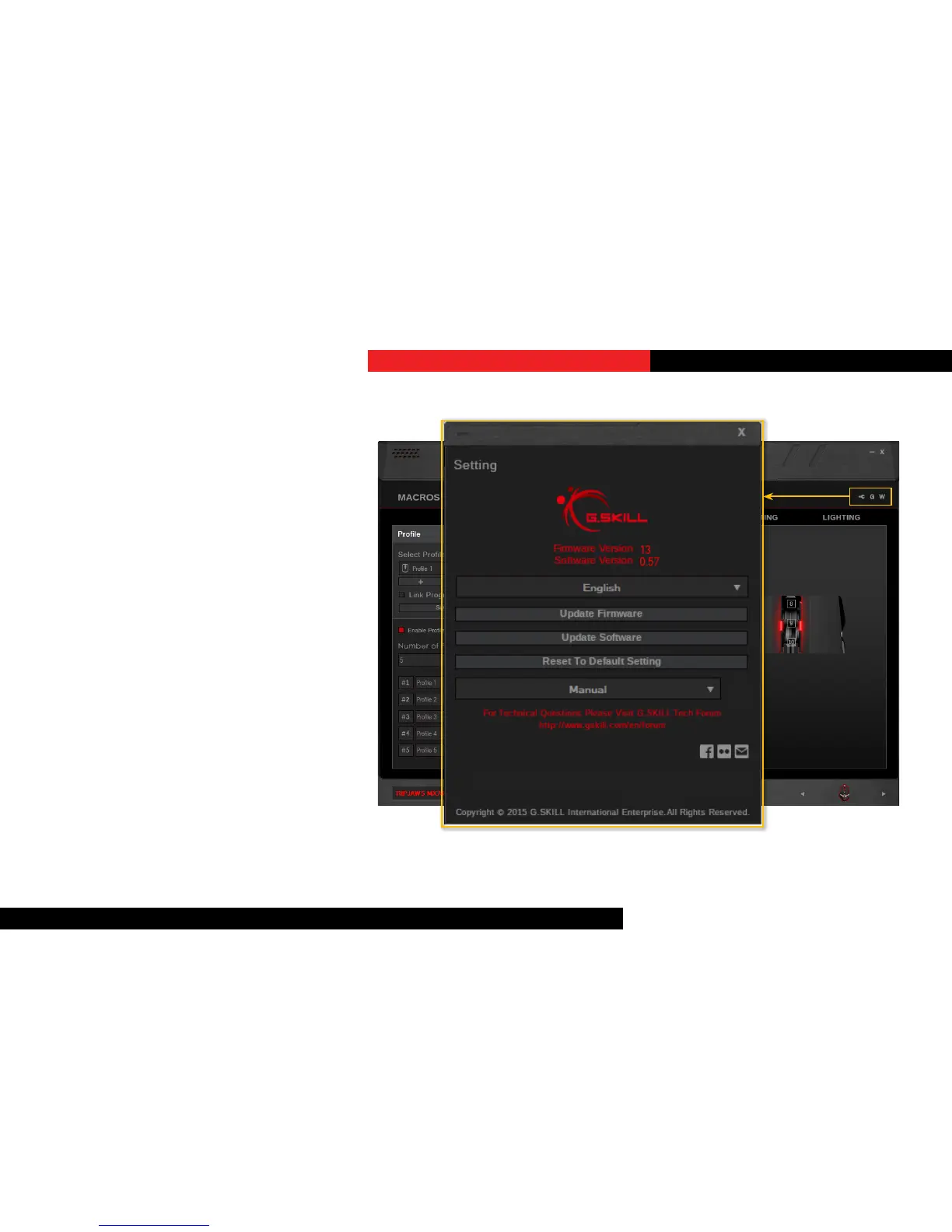
DriverSengs
Click on the wrench icon on the top
right to access the driver sengs. From
here, you can change language, update
rmware, update soware, reset to
default driver seng, and more.
Click the “G” buon to visit the G.SKILL
webpage.
Click the “W” buon to view the warranty
document.
ResettoDefaultSeng
Choosing to acvate this opon will delete
and reset the currently selected prole to
its default state.
Additional Settings
1.15j


 To Previous Page