New Recovery Key
The New Recovery Key option allows Managers to generate a new Recovery Key if they suspect
the existing key has been compromised. Using this feature will make the previous Recovery Key
invalid. Use the following steps to create a new Recovery Key.
1. Open the ArmorLock app.
2. Select a drive and go to Manager .
a. Mobile – Select the gear icon, then select Manager Select New
Recovery Key. Select Generate to continue.
b.
– Click on a drive and then click on key icon. Click Generate New.
3. Make sure to save the new Recovery Key.
a. Note: The old Recovery Key will be invalid.
Read-Only Mode
The ArmorLock drive can be set to read-only mode. This prevents users from modifying or
deleting Note that this feature has a delayed it takes the unlock.
1. Open the ArmorLock app.
2. Select a drive and go to Manager
.
a. Mobile – Select the gear icon, then select manager to edit. Select read-
only.
b.
– Click on a drive and then click read-only, under manager
3. Changes to read-only will be applied time the drive is unlocked.
Reset to Factory
The ArmorLock drive can be reset to the factory This action erases all data,
authorizations, user IDs, and keys.
1. Open the ArmorLock app.
2. Select a drive and go to Manager .
a. Mobile – Select the gear icon, then select manager
to edit. Select reset
to factory . Select reset to continue.
b.
– Click on a drive and then click reset to factory , under
manager Click reset to factory to continue.
3. All data, authorizations, user IDs, and keys will be permanently erased.
Manager Settings
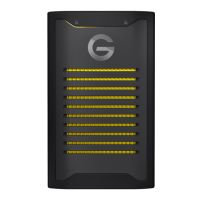
ArmorLock Encrypted NVMe SSD
User Manual
17












 To Next Page