®
Easy Installation for Mac
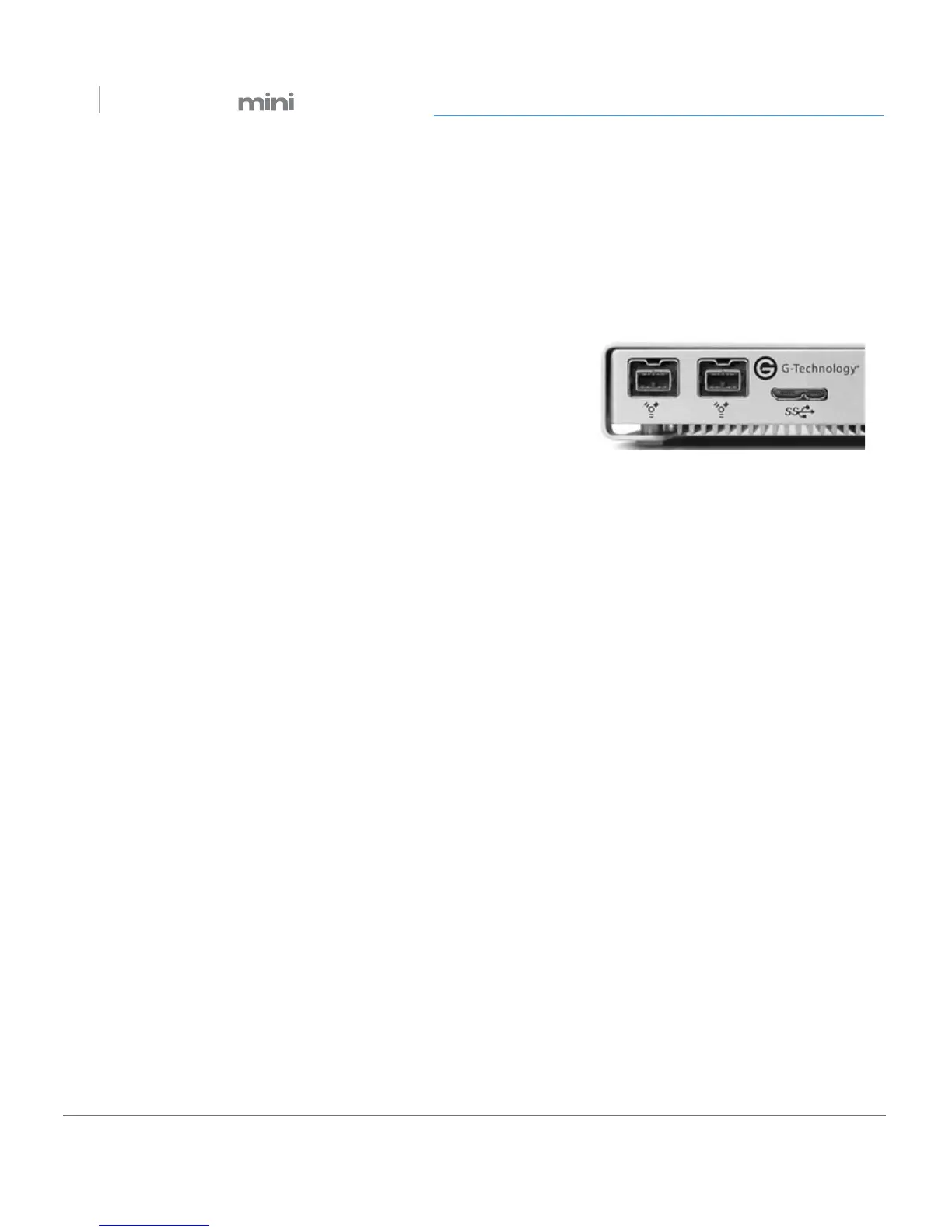
G-DRIVE mini easily attaches to your computer via a USB 3.0 or FireWire 800 cable.
Simply plug one end of the cable into the G-DRIVE mini and the other end of the cable
into a free USB or FireWire connector on your computer.
The drive will automatically mount on the desktop if you
are running Mac OS.
Optional Power Adapter
Typically, no AC power supply is necessary. The G-DRIVE mini is bus powered to
eliminate the need to carry around an external AC power supply to use the drive.
However, some computer systems may not supply adequate power via USB, which
keeps the G-DRIVE mini from properly spinning up.
If this is the case, it may become necessary to use an optional AC power adapter. Simply
plug the optional power adapter into the G-DRIVE mini and attach the other end to a
surge protector or wall outlet.
For more information or to purchase the optional power adapter for G-DRIVE mini, visit:
g-technology.com/products












 To Next Page