
 Need help?
Do you have a question about the G4S SmartAlarm P5 and is the answer not in the manual?
Steps to take when the alarm is active: press key, enter user code, clear message sent.
Access event log to check alarm status, activated sensors, and previous events.
Cancel false alarms by entering user code, stopping siren and notifying Monitoring Service.
Use 'mitG4S' app for Wi-Fi/3G iPhone/Smartphone/Android to arm/disarm and change contacts.
Manage your alarm system and access features via the G4S.dk website.
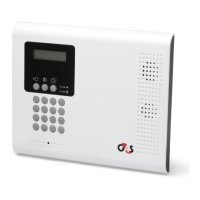
Overview of front panel elements: LCD display, system status indicators, arming keys, and menu navigation keys.
Panel LEDs provide system status like activation, deactivation, alarm, and power faults. Yellow LED indicates battery replacement.
Three activation modes: Full, Part, and Perimeter, allowing flexible system arming.
Activates the entire system, typically used when leaving the premises entirely empty.
Arms a specific section of the home, allowing movement within other parts of the premises.
Activates perimeter zones (windows, doors), enabling free movement within the protected area.
Countdown begins upon entry; disarm the alarm within this time to prevent triggering.
Control alarm remotely by sending text commands from a mobile phone to the alarm's cell number.
 General
| Brand | G4S |
|---|---|
| Model | SmartAlarm P5 |
| Category | Security System |
| Language | English |

 To Next Page
