9
11
10
UNLOADING EXPOSED FILM
When all the film has been
exposed, open the film compart-
ment cover.
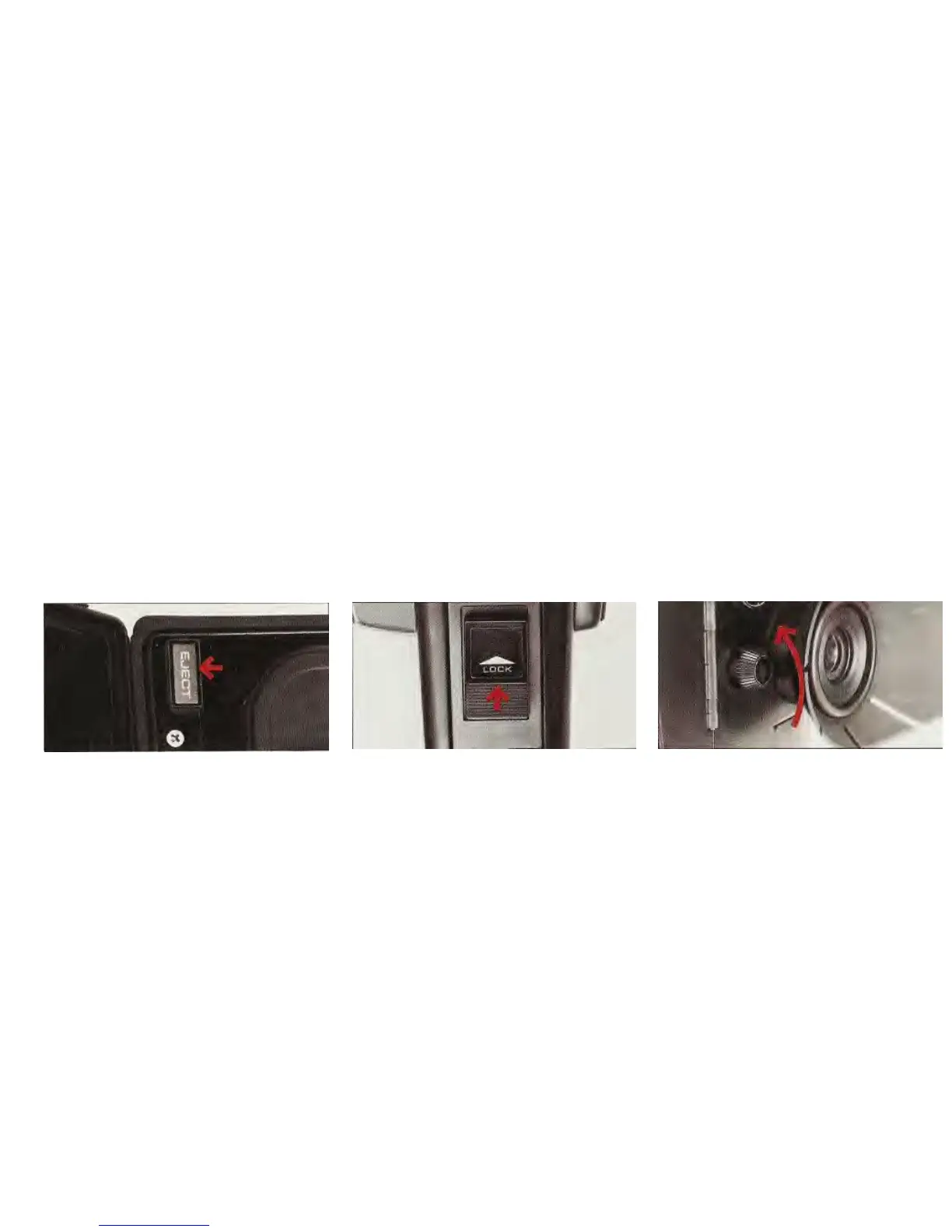
Depress all the way red "Eject"
button (shown in
Fig.
9
) and lift
out cartridge. The word
"EXPOSED" now appears on the
fil
m in the smaller opening.
HAVE THE FILM PROCESSED
WITHOUT DELAY
If a partially-exposed cartridge is
removed from the camera, some
fil
m is lost and the needle in the
footage indicator returns to zero.
LOCKING THE TRIGGER
RELEASE
The trigger release can be locked
in two positions:
1.
To prevent accidental opera-
tion of the camera, lock trigger
by pushing it up, in the direction
of the arrow
(
Fig. 10
).
2.
To get into the scene, place
camera on a tripod, aim it at the
scene, focus, turn the light-stop
knob to the left*
(
Fig. 11
),
depress
trigger release, then push it up
to lock it. The camera will keep
running until the trigger release
is unlocked.
USING
THE VIEWFINDER
The bright, through-the-lens re-
flex viewfinder shows each scene
as it will appear projected on the
screen.* The rubber shield on the
viewfinder eyepiece may be turned
to fit either eye.
To adjust the viewfinder to your
eye:
1.
Zoom lens to the 60mm tele-
photo position by depressing
front power-zoom switch, marked
"Tele".
2. Align the ∞ (infinity) symbol on
the focusing ring distance scale
with the reference line on top of
I
MPORTANT:
When camera is operated in the remote mode, either
with microphone switch or accessory remote control,
be sure to
unlock trigger release BEFORE removing film cartridge.
*The light-stop knob closes the viewfinder
to prevent light from entering the optical
system from the rear. To open the view-
finder, turn the light-stop knob to the right.
"If the view is blocked, turn the light-stop
knob to the right.
8


 To Next Page