Need help?
Do you have a question about the GAF SS 805 and is the answer not in the manual?
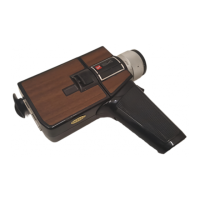
Lists and describes all external controls and parts of the GAF Super 8 camera.
Provides a step-by-step guide for basic camera operation and setup.
Instructions for inserting the 6-volt silver oxide battery for the electric eye.
Guide for loading six AA alkaline batteries into the motor battery compartment.
How to test the electric eye and motor batteries using the built-in tester.
Step-by-step guide for correctly inserting a Super 8 sound movie film cartridge.
Explains the film movement indicator and the film end signal in the viewfinder.
Details how the footage indicator shows exposed film in feet and meters.
Procedure for ejecting the film cartridge after shooting.
How to lock the trigger release to prevent accidental operation or for scene setup.
Guide to adjusting the viewfinder for clear viewing and focusing.
Methods for focusing the lens using the microprism and distance scale.
Explanation of the lens's focal length range and how to operate it.
How the through-the-lens CdS meter provides automatic exposure control.
Two methods for using the zoom feature to control subject size and scene area.
How to manually set the lens opening using the viewfinder scale.
Advice on avoiding underexposed movies and not pointing at bright light.
Instructions for using the built-in ND filter to prevent overexposure.
How to fine-tune automatic exposure using the adjustment knob.
Basic steps for recording movies with the camera, including trigger use.
How to use the backlight button to lighten dark areas in backlit scenes.
Guidance on using accessory movie lights for indoor filming.
How to use the automatic feature to create fade-in and fade-out effects.
Detailed steps for performing fade-in and fade-out transitions during filming.
Using the accessory remote control cord to operate the camera from a distance.
Instructions for attaching the collapsible lens shade to prevent glare.
Specifies the filter sizes (Series VIII, 58mm, 61mm) compatible with the lens.
Guidelines for protecting the camera and cleaning the lens gently.
Connecting and operating the microphone for sound recording.
Understanding the audio gain control and high-low switch for sound levels.
Interpreting the green LED in the viewfinder for recording status.
Using the microphone's switch to start and stop the camera.
How to listen to recorded sound in real-time using the earphone.
Understanding how the human mind filters sound and ensuring clear recordings.
Identifying common sources of background noise and their impact on recordings.
Strategies to minimize background noise using audio gain and microphone placement.
Tips to avoid distracting noise from microphone handling or the camera itself.
Techniques for recording when multiple people are speaking or sound sources are present.
Optimal placement of the omnidirectional microphone for clear sound.
Selecting rooms or environments that minimize echo and improve sound quality.
Advice on creating engaging films by telling a story and varying shots.
Tips for utilizing the zoom lens for different shot compositions and effects.
Technical details of the GAF Super 8 camera, including lens, exposure, and film.
Details on filming speeds (18/20 fps) and variable-speed power zoom operation.
Information on the camera's amplifier, sound system, and microphone compatibility.
Specifies battery types, movie light socket, tripod socket, and available outlets.
Details the warranty period, coverage, and procedures for repair or replacement.


 To Next Page
 General