EasyManua.ls Logo

GAI-Tronics 701-309 - User Manual

GAI-Tronics 701-309
6 pages
Print Icon
To Next Page IconTo Next Page
Loading...
Pub. 42004-423B
GAI-Tronics Corporation 400 E. Wyomissing Ave. Mohnton, PA 19540 USA
610-777-1374 800-492-1212 Fax: 610-796-5954
V
ISIT WWW.GAI-TRONICS.COM FOR PRODUCT LITERATURE AND MANUALS
GAI-TRONICS® CORPORATION
A HUBBELL COMPANY
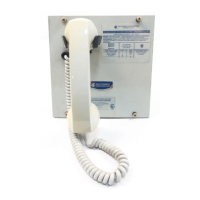
701-309 Handset/Speaker Amplifier
(24 V DC) with Auxiliary Jack
Confidentiality Notice
This manual is provided solely as an operational, installation, and maintenance guide and contains sensitive business and technical
information that is confidential and proprietary to GAI-Tronics. GAI-Tronics retains all intellectual property and other rights in or
to the information contained herein, and such information may only be used in connection with the operation of your GAI-Tronics
product or system. This manual may not be disclosed in any form, in whole or in part, directly or indirectly, to any third party.
General Information
The GAI-Tronics 701-309 Handset/Speaker Amplifier (24 V DC) with Pressbar, Auxiliary Jack and
Magnetic Hookswitch is an important component of the 700 series Page/Party
®
system. This
handset/speaker amplifier mates directly with the 702, 703, 732 and 733 series amplifier enclosures and
is suitable for indoor or outdoor use. The auxiliary jack accepts a GAI-Tronics 10416 Series Headset.
Installation
CAUTION
Do not install this equipment in hazardous areas other than those on the
equipment approval list in the Specifications section. Such installation may cause a safety hazard
and consequent injury or property damage.
The 701-309 Handset/Speaker Amplifier plugs directly into the enclosure. The following figure shows
installation and adjustment details. Please refer to it when you are installing and adjusting the amplifier.
Figure 1. Installation and Adjustment Details

Questions and Answers

  • A
    Ashley GomezJul 29, 2025
    How to fix crosstalk on GAI-Tronics 701-309?
    • J
      Jessica BlackwellJul 29, 2025
      If you are experiencing crosstalk with your GAI-Tronics Amplifier, it could be due to one or more system cable pairs being improperly terminated. Visually inspect the system cable connections to ensure there are no accidental crossings of the cable pairs or grounds.
  • A
    Amy Carpenter PhDAug 3, 2025
    How to adjust outgoing conversation level on GAI-Tronics Amplifier?
    • I
      iritterAug 3, 2025
      To adjust the outgoing conversation level on your GAI-Tronics Amplifier: 1. Remove the front cover of the station and attach a 10440 series extension ribbon cable between the connectors to adjust the microphone gain. Use a small standard screwdriver (1/8-inch blade) to slowly turn potentiometer (R17) on the rear chassis of the amplifier until you reach the proper microphone gain. 2. If needed, replace the handset microphone.
  • R
    Robert FullerAug 6, 2025
    What to do if the incoming conversation level requires adjustment on GAI-Tronics 701-309 Amplifier?
    • J
      Jessica MartinAug 7, 2025
      To adjust the incoming conversation level on your GAI-Tronics Amplifier: 1. Use a small standard screwdriver to adjust the receiver volume control on the rear of the amplifier using the extension ribbon cable assembly. 2. If needed, replace the receiver element in the handset.
  • R
    Robin ClarkAug 11, 2025
    How do I adjust the sidetone on my GAI-Tronics Amplifier?
    • N
      Nicholas DavidsonAug 11, 2025
      To adjust the sidetone (how the operator hears their own voice) on your GAI-Tronics Amplifier: 1. Adjust the receiver sidetone at the amplifier, using the extension ribbon cable. 2. Check that the line balance assembly resistors are connected properly.
  • M
    Mr. Juan AtkinsonAug 16, 2025
    How to stop feedback during page on GAI-Tronics 701-309 Amplifier?
    • A
      Alexis MyersAug 16, 2025
      If feedback occurs only during page on your GAI-Tronics Amplifier, use the muting feature in the amplifier enclosure at the terminal blocks. Connect the violet wire at terminal 8 to terminal 7.
  • T
    tibarraAug 19, 2025
    How to adjust integral speaker level on GAI-Tronics Amplifier?
    • T
      Theresa DoyleAug 19, 2025
      To adjust the integral speaker level on your GAI-Tronics Amplifier: 1. Adjust the volume control behind the nameplate on the front panel. 2. If needed, replace the speaker or driver.
  • G
    Gene HallAug 25, 2025
    What to do if there is a problem with GAI-Tronics 701-309 Amplifier station performance?
    • J
      Jack DelgadoAug 25, 2025
      To address any issues with your GAI-Tronics Amplifier station performance, review all the installation steps to ensure you have followed them correctly. Also, check all the terminations on the board and in the line balance assembly before making any other adjustments.

Summary

Confidentiality Notice

General Information

Installation

Operation

Page;Single-Party

Initiate a call, lift handset, press page button or pressbar for announcement.

Page;Multi-Party

Select party line using selector switch, then make announcement.

Auxiliary Headset Operation

Troubleshooting

Specifications

Replacement Parts

Warranty

Return Policy

GAI-Tronics 701-309 Specifications

General IconGeneral
BrandGAI-Tronics
Model701-309
CategoryAmplifier
LanguageEnglish

Related product manuals