EasyManua.ls Logo

GAI-Tronics ITA2000A Series - User Manual

GAI-Tronics ITA2000A Series
54 pages
Print Icon
To Next Page IconTo Next Page
Loading...
Pub. 43004-010H
GAI-Tronics Corporation 400 E. Wyomissing Ave. Mohnton, PA 19540 USA
610-777-1374 800-492-1212 Fax: 610-796-5954
V
ISIT WWW.GAI-TRONICS.COM FOR PRODUCT LITERATURE AND MANUALS
GAI-TRONICS® CORPORATION
A HUBBELL COMPANY
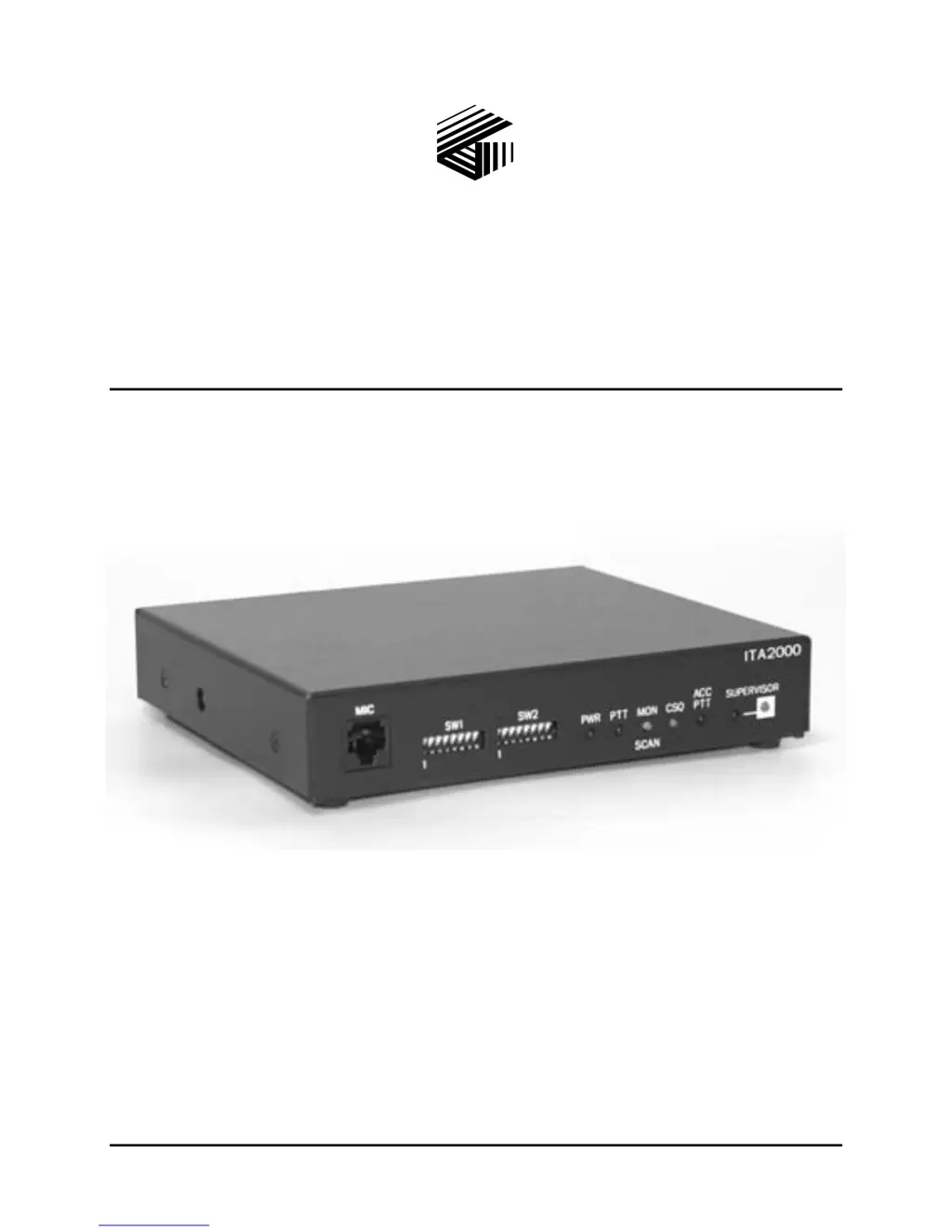
ITA2000A Series Tone Remote Adapter
with Scanning
User and Installation Manual
*U.S. Patent 6,950,653

Table of Contents

Questions and Answers

  • L
    Lisa MasonAug 15, 2025
    How to fix GAI-Tronics ITA2000A Adapter ITA2000A when it will not key the radio?
    • R
      Robert JacobsonAug 15, 2025
      First, ensure that the tone remotes are generating a function tone that the ITA2000A uses for keying the radio. Then, check that one of the ITA2000A PTT outputs is connected to the radio (Pin 6 for ground keying or active high). Also, check the telephone line continuity from the ITA2000A to the remote and ensure that the telephone line is balanced by making sure neither side of the telephone line is grounded.
  • A
    Anthony BeckerAug 18, 2025
    What to do if there is no TX audio with GAI-Tronics ITA2000A Adapter ITA2000A?
    • A
      afitzgeraldAug 18, 2025
      Verify that the radio is being keyed when transmitting to the ITA2000A from a tone remote. If the radio is not being keyed, refer to the section above describing the radio not being keyed. Ensure that the ITA2000A audio output (J2-12) is connected to a point in the radio that causes the audio to be transmitted when the radio is keyed. Verify that the ITA2000A TX output level is properly set and there is no more than 20 dB of loss in the telephone line. If appropriate, adjust the transmit audio output or desk set microphone sensitivity.
  • F
    Fred MartinezAug 21, 2025
    Why is the RX audio low or distorted on my GAI-Tronics Adapter?
    • D
      Deanna OrtizAug 21, 2025
      Ensure that the ITA2000A receive sensitivity is set properly. Also, ensure that the telephone line is balanced by making sure neither side of the telephone line is grounded, and that there is no more than 20 dB of loss in the telephone line.
  • A
    Alexis SteeleAug 25, 2025
    How to eliminate squelch noise or restore RX audio on GAI-Tronics ITA2000A ITA2000A?
    • S
      Sarah LopezAug 26, 2025
      To resolve squelch noise or lack of RX audio, take these steps: 1. Ensure that the telephone line is balanced by making sure neither side of the telephone line is grounded. 2. Ensure that there is no more than 20 dB of loss in the telephone line. 3. Ensure that the ITA2000A audio input (pins 3 and 11) is connected to a point in the radio that has receive audio present when a valid carrier and PL/DPL (if needed) is detected. 4. Check that the volume pot has not been turned down if the ITA2000A RX audio is connected to the volume pot of the radio's speaker. Connect to the high side of the volume pot. 5. Ensure that the proper input polarity of the CSQ detect has been set with SW1-2. 6. Ensure that the scan rate is properly set using SW2-5 through SW2-7.
  • M
    Makayla SmithAug 27, 2025
    What should I do if my GAI-Tronics ITA2000A Adapter ITA2000A doesn't transmit or receive?
    • R
      robertsandersAug 28, 2025
      First, ensure that there is a telephone line audio path from the ITA2000A to the tone remote desk set. Then, check that neither fuse is open on the telephone line. Finally, ensure that the ITA2000A is connected to a dc or ac (with a dc power supply option) power source.
  • J
    Justin MarshallAug 31, 2025
    Why is my GAI-Tronics ITA2000A Adapter ITA2000A not scanning?
    • G
      Gregory MurrayAug 31, 2025
      Ensure that the proper input polarity of the CSQ detect has been set with SW1-2. Also, ensure that SW2-1 through SW2-4 are set according to the maximum number of channels to be scanned. If SW1-8 is configured for resume scan after PTT, ensure that PTT is generated by the remote. Finally, ensure that there is no off-hook mic or shorting plug connected to the mic port of the ITA2000A, and that the monitor pin of the accessory connector is not asserted.
  • D
    dsullivanSep 3, 2025
    What causes my GAI-Tronics ITA2000A Adapter to key the radio constantly?
    • J
      Jessica TurnerSep 3, 2025
      Ensure that the JU2 jumper is set for the proper active state: JU2 A position = B+ keying JU2 B position = Ground keying.
  • C
    Cameron RobinsonSep 6, 2025
    Why is the TX audio distorted on my GAI-Tronics ITA2000A Adapter ITA2000A?
    • A
      Angela WadeSep 7, 2025
      Verify that the tone adapter transmit audio output level is not set too high for the radio’s expected input level. Adjust the TX output level pot for proper setting.
  • D
    dawsonrobertSep 12, 2025
    What does it mean if a tone is being output on the phone line during an accessory/desk-mic PTT or Monitor assertion on a GAI-Tronics Adapter?
    • J
      James AverySep 12, 2025
      In Scan mode, this feature allows for the clearing of status and lock-out of any connected tone remotes. In Conventional mode, this feature allows the lock-out of any connected tone remote. It can be disabled by placing SW1-8 in the down position.

Summary

Warranty

Limitations and Exclusions

Outlines warranty exclusions like misuse, accidents, and unauthorized repairs.

Operational Procedures

Buyer agrees to proper use, maintenance, and indemnifies GAI-Tronics for misuse.

Foreword

Service and Repair

Instructions for returning equipment for repair and obtaining support from GAI-Tronics.

CMOS Handling Precautions

Guidelines for safely handling CMOS integrated circuit devices to prevent static damage.

Description

Specifications

Technical specifications including physical, electrical, environmental, and performance data.

Operation

Scan Mode Operations

How scanning starts, stops, and monitors channels, including desk set interactions.

Supervisor and Accessory Modes

Operation in Supervisor and Accessory modes for controlling radio functions.

Test Mode

Procedures for entering and operating the ITA2000A in test mode for diagnostics.

Installation

Equipment and Safety

Lists required test equipment and safety considerations for cable installation.

Power Connections

Instructions for connecting the DC power supply to the ITA2000A unit.

Level Settings and Adjustments

Procedures for setting receive audio, line output, and transmit audio levels.

Test Diagnostics

Procedures for entering and performing diagnostic tests on the ITA2000A.

Theory of Operation

Troubleshooting

Troubleshooting Guide

Lists common problems encountered with the ITA2000A and their potential solutions.

Schematics

GAI-Tronics ITA2000A Series Specifications

General IconGeneral
BrandGAI-Tronics
ModelITA2000A Series
CategoryAdapter
LanguageEnglish