EasyManua.ls Logo

Gainlab Audio EMPRESS GL-PEQ - User Manual

Gainlab Audio EMPRESS GL-PEQ
13 pages
Print Icon
To Next Page IconTo Next Page
Loading...
Question and Answer IconNeed help?

Do you have a question about the Gainlab Audio EMPRESS GL-PEQ and is the answer not in the manual?

Overview

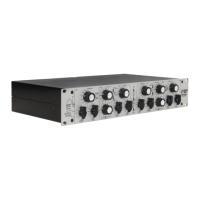
The GAINLAB AUDIO GL-PEQ EMPRESS is a 2x3 band tube equalizer designed for professional audio applications. It is not a consumer electronic device, and its installation and use require professional sound engineering knowledge and skills. Improper use may result in malfunction, damage, or personal injury.

Safety Precautions:

  • Use only grounded electrical outlets.
  • Do not open the device or make any modifications.
  • Do not attempt to repair or replace components unless specifically instructed in this guide.
  • Prevent solid matter (flammable items, coins, nails) or liquids (water, alcohol) from entering the device.
  • Do not twist or break the power cord, or place heavy objects on it, as this can cause damage, short circuits, fire, or electric shock.
  • Protect the device from intense external shock, such as falling.
  • Avoid using the device in extreme temperatures, moisture, high humidity, rain, dust, or heavy vibration.
  • If you notice smoke or an unusual odor, if any object or liquid enters the device, if it has been exposed to rain or moisture, or if it does not operate normally, immediately turn off the machine, unplug the power cord, and contact GAINLAB AUDIO.
  • Do not connect the appliance to a mains socket controlled by an inverter, switching power supply (e.g., refrigerator, washing machine, microwave, air conditioner) or an appliance with a motor. Power supply noises from such devices may cause malfunction or audible noise. If a separate electrical outlet is not available, use a noise filter between this unit and other electrical appliances.
  • The appliance will heat up during several hours of continuous operation; this is normal.
  • Turn off all devices before connecting them to prevent damage to speakers and other equipment.
  • Using the unit near amplifiers or other equipment with transformers may cause noise. Relocate the device or move it away from the interfering device to resolve this.
  • Wireless communication devices, such as mobile phones, can cause noise when making, receiving, or diverting calls. Move the wireless device away or turn it off if this occurs.
  • This unit may interfere with radio and television operation; avoid using it near such receivers.
  • If the device is transported to a location with significantly different temperature and/or humidity, moisture may condense inside. Wait a few hours for the moisture to completely evaporate before using the appliance to prevent damage or malfunction.

Maintenance Features:

  • Clean the appliance daily with a soft, dry, or slightly damp cloth. Use an abrasion-free cloth to remove stubborn dirt, then wipe with a dry cloth.
  • Never use benzine, thinner, alcohol, other solvents, strong alkaline, or acidic cleaners, as they may cause discoloration and deformation.

Usage Features:

Power Switch:

  • The unit is switched on by setting the POWER switch to the up position. Set it to the down position when not in use.
  • Due to its tube design, a "warm-up time" of 15-20 minutes is advisable before use.
  • ATTENTION! The POWER switch puts the device in standby mode; it does not completely disconnect it from the mains. To fully disconnect, unplug the device or switch off the main switch at the IEC socket.

EQ IN, BYPASS:

  • In BYPASS mode, the device galvanically connects its outputs and inputs, allowing for comparison of the compressed sound to the original signal.
  • Set the switch to the lower position for BYPASS mode.
  • Set the switch to the upper position for EQ IN mode.

Tube Boost:

  • This function increases the gain of the output tube amplifier, adding more harmonic distortion to the signal, resulting in a warmer and more powerful sound.
  • Set the switch to the up position to activate the function.
  • Set the switch to the down position to deactivate the function.

Low Frequency Band:

  • The filter networks allow for simultaneous cutting and boosting at a selected frequency, enabling complex transmission characteristics.
  • To boost: Select the desired frequency using the FREQ (Hz) switch. Set the LOW CUT (dB) parameter to OFF (0). Adjust the amount of increase using the LOW BOOST (dB) parameter.
  • To cut: Select the desired frequency using the FREQ (Hz) switch. Set the LOW BOOST (dB) parameter to OFF (0). Adjust the cut rate using the LOW CUT (dB) parameter.
  • For complex transmission curves, select the desired frequency using the FREQ (Hz) switch, then use the LOW BOOST (dB) parameter to set the amount of increase and the LOW CUT (dB) parameter to set the cut rate.

Boost Shift (Low Frequency Band):

  • In conjunction with simultaneous cutting and boosting, the BOOST SHIFT function allows the boosted frequency to be proportionally shifted relative to the cutting frequency. This enriches the process of creating complex transmission curves.
  • Set the switch to the down position to activate the function.
  • Set the switch to the upper position to deactivate the function.
  • Attention! The degree of frequency shift depends on the selected frequency.

High Frequency Band:

  • Similar to the low frequency band, this filter system allows for simultaneous cutting and boosting at a selected frequency.
  • To boost: Select the desired frequency using the FREQ (Hz) switch. Set the HIGH CUT (dB) parameter to OFF (0). Adjust the amount of increase using the HIGH BOOST (dB) parameter.
  • To cut: Select the desired frequency using the FREQ (Hz) switch. Set the HIGH BOOST (dB) parameter to OFF (0). Adjust the cut rate using the HIGH CUT (dB) parameter.
  • For complex transmission curves, select the desired frequency using the FREQ (Hz) switch, then use the HIGH BOOST (dB) parameter to set the amount of increase and the HIGH CUT (dB) parameter to set the cut rate.

Cut Shift (High Frequency Band):

  • In connection with simultaneous cutting and boosting, the CUT SHIFT function allows the cutting frequency to be proportionally shifted relative to the boosting frequency.
  • Set the switch to the down position to activate the function.
  • Set the switch to the upper position to deactivate the function.
  • Attention! The degree of frequency shift depends on the selected frequency.

High Shelving/Bell:

  • The high frequency band offers both bell and shelving characteristics.
  • Set the switch to the upper SHELVING position for shelving mode.
  • Set the switch to the lower BELL position for bell mode.

Mid Frequency Band:

  • In addition to high and low range control, a medium frequency band is included. This filter system does not allow simultaneous cutting and lifting; you can either cut or raise at the selected frequency.
  • Use the FREQ (Hz) rotary switch to select the desired frequency.
  • To boost: Turn the rotary switch of the MID parameter in the direction marked BOOST until the desired lift value is reached.
  • To cut: Turn the rotary switch of the MID parameter in the direction marked CUT until the desired cut value is reached.

Ground Lift:

  • The switch on the back of the device disconnects the outgoing audio connection from ground, eliminating ground loop phenomena.
  • Set the GROUND LIFT switch on the rear panel to the up position to adjust the ground defrost.

Technical Specifications:

  • Inputs: 2x Balanced XLR
  • Outputs: 2x Balanced XLR
  • Maximum input level: +23dBu
  • Input impedance: >10Kohm
  • Maximum output level: +23dBu
  • Output impedance: <65ohm
  • THD+N (0dBu, 1Khz): <0.08%
  • THD+N (+20dBu, 1Khz): <0.8%
  • Frequency response: 20Hz-20Khz +/- 0.2dBu
  • Dimensions: 483mm x 280mm x 89mm
  • Weight: 5.4 Kg
  • Mains voltage: 230V AC (EU version), 110V AC (US version)

Gainlab Audio EMPRESS GL-PEQ Specifications

General IconGeneral
BrandGainlab Audio
ModelEMPRESS GL-PEQ
CategoryStereo Equalizer
LanguageEnglish