EasyManua.ls Logo

Galaxy Equipment 177CRG2B - User Manual

Galaxy Equipment 177CRG2B
6 pages
Print Icon
To Next Page IconTo Next Page
Loading...
- 1 -
User Manual
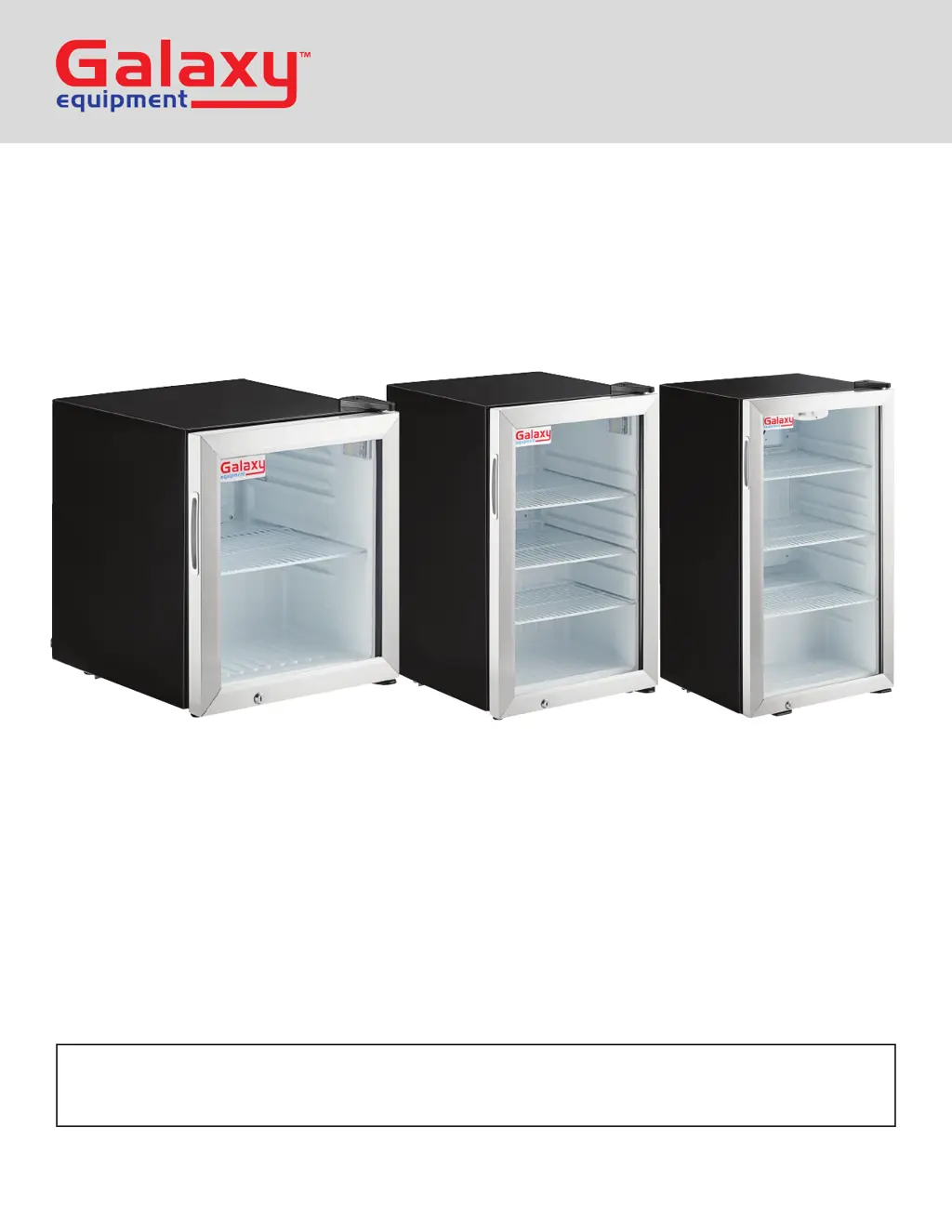
Countertop Display
Refrigerators
Models: 177CRG2B, 177CRG3B, 177CRG4B
10/2023
Please read and keep these instructions. Indoor use only.

Questions and Answers

  • B
    ballkaitlinAug 7, 2025
    Why is my Galaxy Equipment Refrigerator cabinet temperature too warm?
    • E
      Edward AlvaradoAug 8, 2025
      If the cabinet temperature of your Galaxy Equipment Refrigerator is too warm, several factors could be the cause. The thermostat might be set too high; try setting it to a lower temperature. Blocked airflow can also lead to this issue, so rearrange the products inside to ensure proper airflow, maintaining at least four inches of clearance from the fan. Other potential causes include low refrigerant levels (in which case you should contact a service technician), a door that is slightly ajar (ensure it's completely closed), or the unit's evaporator iced over (conduct a manual defrost).
  • C
    Christopher OlsonAug 16, 2025
    What to do if the Galaxy Equipment 177CRG2B Refrigerator compressor is not running?
    • S
      Samuel KnightAug 16, 2025
      If the compressor of your Galaxy Equipment Refrigerator isn't running, check a few things: First, see if a fuse has blown or a circuit breaker has tripped, and replace the fuse or reset the breaker if needed. Also, verify that the power cord is properly plugged in. Lastly, the thermostat might be set too high; try setting it to a lower temperature.
  • D
    Desiree DeanAug 23, 2025
    How to fix the interior light on a Galaxy Equipment 177CRG2B Refrigerator?
    • D
      David MeadowsAug 23, 2025
      If the interior light in your Galaxy Equipment Refrigerator isn't working, there are a few things you can check. First, try turning the light switch off and then back on to address a poor switch connection. Next, ensure that the bulb is correctly inserted in the socket. If the bulb has burned out, replace it.
  • E
    Eric MahoneyAug 30, 2025
    What to do if condensation is collecting on my Galaxy Equipment Refrigerator?
    • G
      garzamariaAug 30, 2025
      If you notice condensation collecting on the cabinet or floor around your Galaxy Equipment Refrigerator, the gasket might not be sealing properly. Clean, repair, or replace the gasket as needed.

Summary

Countertop Display Refrigerators

Safety Warnings

Installation

Cabinet Location Guidelines

Recommendations for optimal placement to ensure efficient operation and prevent damage.

Electrical Requirements

Functions and Controls

Temperature Adjustment

Instructions on how to set the desired temperature using the dial controls.

Defrost System Operation

Details on the automatic and manual defrost process for the refrigerator coils.

Safety Precautions

Electrical Hazard Attention

Specific warnings and precautions related to electrical connections and usage.

Cord Handling and Grounding

Operation and Maintenance

Loading Product Guidelines

Best practices for placing items inside the unit to ensure proper airflow and cooling.

Fan and Interior Cleaning

Procedures for cleaning the fan blades, motor, and the interior cabinet surfaces.

Condenser Coil Maintenance

Troubleshooting Common Issues

Compressor Not Running

Steps to diagnose and resolve issues when the unit's compressor fails to operate.

Cabinet Temperature Issues

Guidance on addressing problems related to the cabinet temperature being too warm.

Interior Light Not Working

Troubleshooting steps for when the interior light of the unit is not functioning.

Condensation Problems

Methods to fix condensation issues on the cabinet or floor caused by sealing problems.

Galaxy Equipment 177CRG2B Specifications

General IconGeneral
MPN177CRG2B
Model177CRG2B
BrandGalaxy Equipment
Number of Doors2
TypeRefrigerator