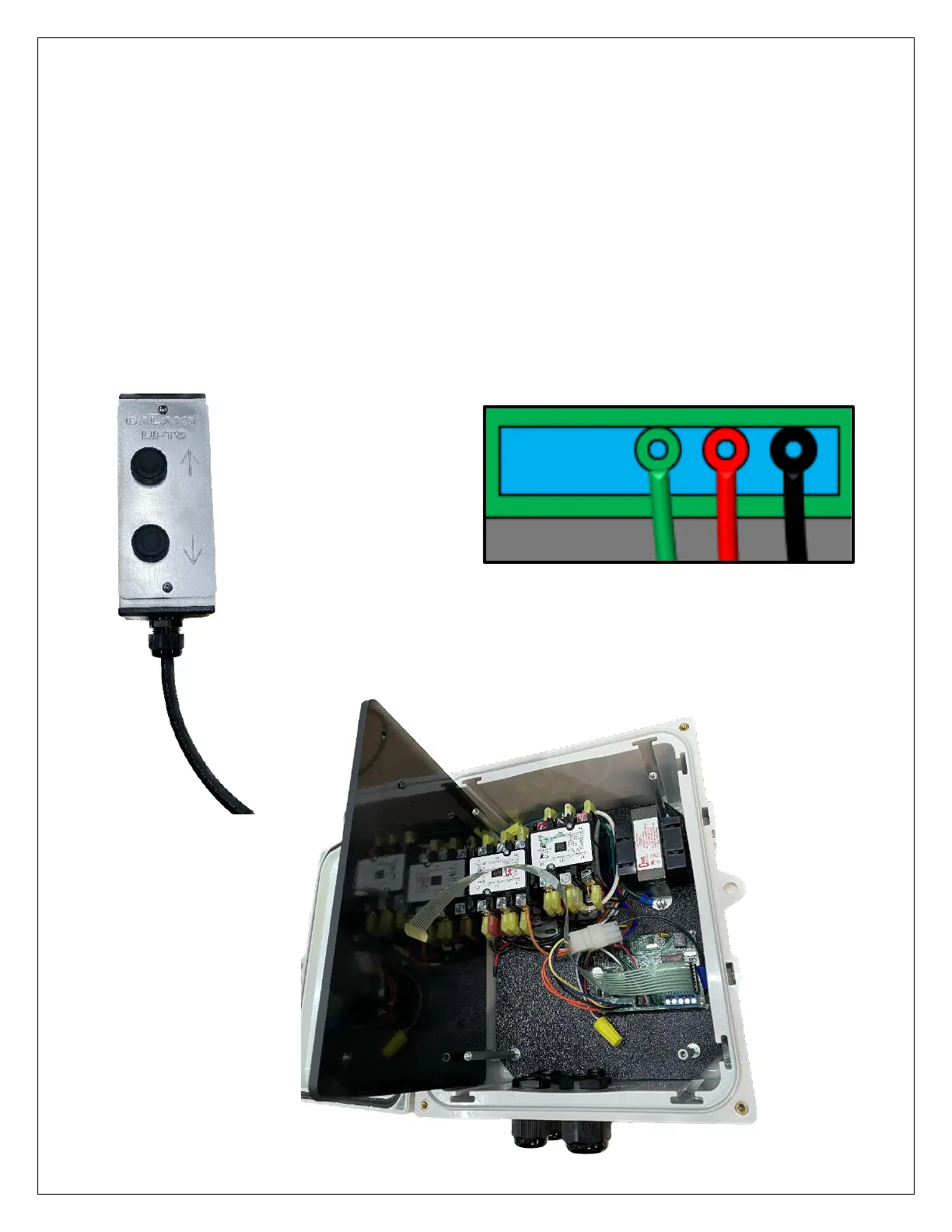
Call/Send Station
1. Disconnect the electricity going to the lift.
2. Remove the four screws that secure the gel pad to the control box. BE CAREFUL The connector and ribbon are
fragile and will be very difficult to successfully reattach. The Gel pad can be placed in the side of the control box
while attaching the wires.
3. Find the blue screw terminals located near the Gel Pad connector as shown in figure 18 below.
4. Connect the wires from the call send station as shown in the figure below. Note that the uncolored terminal
furthest to the left is not used in this application.
5. Reinstall Gel Pad. Route the ribbon cable so that it does not kink sharply.
6. Reconnect power to the Galaxy control box and test.


 To Next Page