7
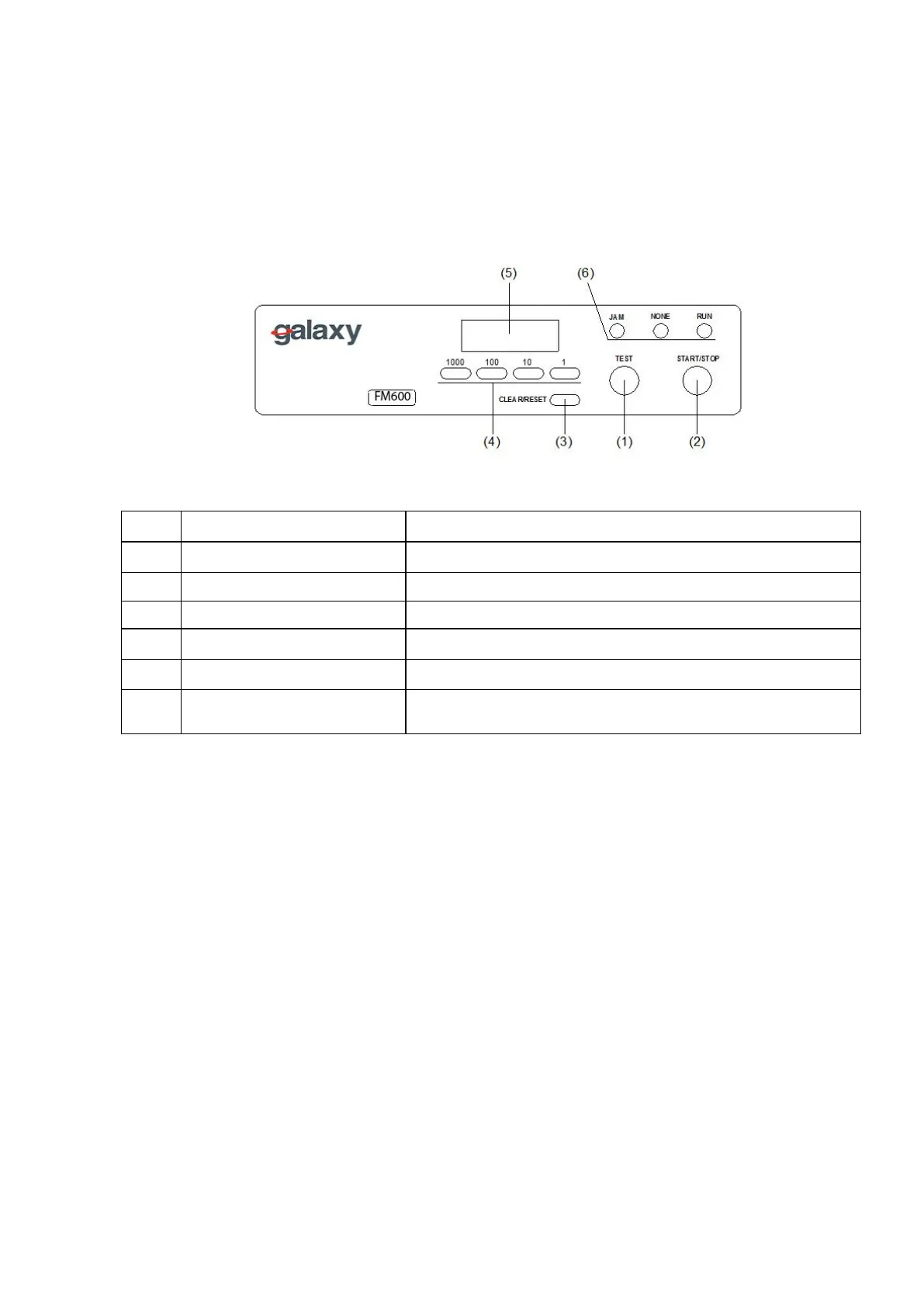
(4) Operation Panel and Functions
No.
Designation/Indication Function
(1) Test key Test folds two sheets without counting.
(2) Start/Stop key
Starts and stops the machine.
(3) Clear/Reset key
Clears counter indication resets error.
(4) Numerical key Inputs the desired number for subtraction counting .
(5) Counter
Show the number of sheets.
(6) Check lamp
It lights when paper stock runs short, or indicates the
location where paper feed trouble occurs.


 To Next Page