EasyManua.ls Logo

Galcon DC1S 6051 - User Manual

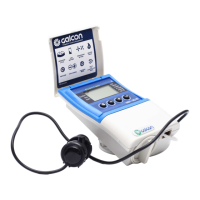
Galcon DC1S 6051
28 pages
Print Icon
To Next Page IconTo Next Page
Loading...
GALCON DC1S 6051 / DC4S 6051
1
DCS – Professional Advanced Computerized
Irrigation Controllers
Operating and Installation Instructions
Main Features:
* Independent Valve Programming
* Weekly or Cyclical Programming
* Up to 4 Operations Daily In
Weekly Program Mode
* Irrigation Window in Cyclical
Program Mode
* Irrigation period: From 5 seconds
to 12 hours
* Irrigation Cycles in Cyclical
program mode: From Once a
minute to Once a Month
* Withstands Harsh Climatic
Conditions
* WP only – Water-resistant
* Simple, Four-Button Programming
* Single Valve (DC1s) to 4 Valve (DC4s) Capacity
* Optional Manual Operation
* Operates On Two 9V Alkaline Batteries
* Valve type compatibility:
Galcon 2-way (blue panel), Galcon 3-way or other 3-way hydraulic
valves with a command valve (orange panel)
* Program lockout sensor option; individual valve association to sensor
Note:
This user manual covers models operating both 2-way and 3-way
valves.


Questions and Answers

  • S
    Susan BellAug 9, 2025
    Why won't my Galcon DC1S 6051 valve open?
    • C
      Christian CarterAug 9, 2025
      If your Galcon Irrigation System valve isn't opening during automatic or manual operation, there are a couple of things to check: * Ensure the Valve Handle is in the AUTO position. * Try replacing the batteries, as weak batteries can prevent the valve from opening.
  • K
    Kyle GordonAug 19, 2025
    How to fix a Galcon DC1S 6051 Irrigation System with no display?
    • B
      Brian BurkeSep 12, 2025
      If your Galcon Irrigation System has no display, the first thing you should do is replace the batteries. Weak batteries are a common cause of this issue.
  • J
    Jeffrey GonzalezAug 28, 2025
    Why is the sensor icon flashing on my Galcon Irrigation System and the valve won't open?
    • Z
      zhoweAug 28, 2025
      If the sensor icon is constantly flashing on the display of your Galcon Irrigation System and the valve isn't opening, it could indicate that the sensor is shorted. Try replacing the sensor or repairing the sensor connection.

Summary

Setting Up the Irrigation Controller

2.1. Valve and Solenoid Assembly

Guides how to assemble the valve and solenoid unit for installation.

2.2. Manual-Mechanical Operation

Explains manual operation of the valve using the handle.

2.3. Battery Installation

Details the procedure for installing batteries in the controller unit.

2.4. Installing the Controller In the Irrigation System

Provides instructions for mounting the controller to the irrigation system.

2.5. Wiring the Solenoid and the Sensor

Explains how to connect solenoid and sensor wires to the controller.

Programming the Irrigation Controller

3.1. Setting the Current Time and Day of the Week

Guides on setting the controller's current time and day of the week.

3.5. Setting Irrigation Start Times

Guides on setting multiple daily start times for irrigation.

Additional Programming Options

Maintenance

Galcon DC1S 6051 Specifications

General IconGeneral
BrandGalcon
ModelDC1S 6051
CategoryIrrigation System
LanguageEnglish

Related product manuals