<English>
E2
RGB
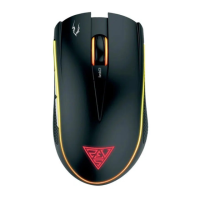
Optical Gaming Mouse
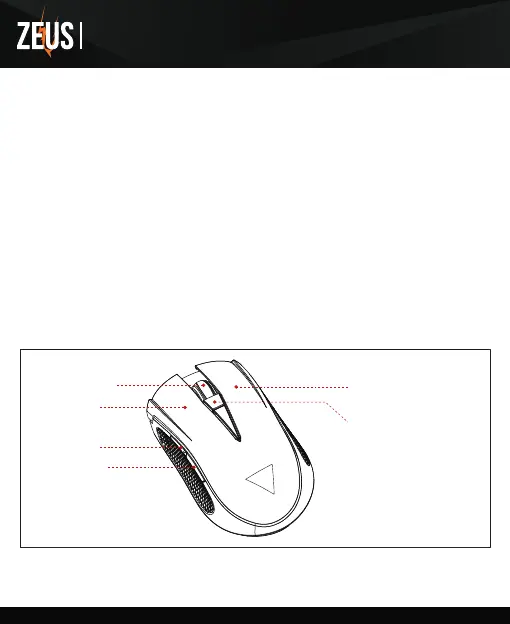
Left Key
Right Key
DPI + / -
DPI Cycle (4 Level)
(Default:1200/1600/2000/3200 DPI)
Middle Key
Forward
Backward
Thank you for choosing ZEUS E2 optical gaming mouse by GAMDIAS™. The GAMDIAS™ ZEUS E2
optical gaming mouse employs premium micro-processor complemented by 10,800DPI precision-perfect
optical sensor. Providing not only impeccable stability, the 8 Macro-Key design enables all combo
execution without the need of driver installations. In addition, it offers ergonomics design with textured
rubber side grips which provide unparalleled control and perfect tactility.
● Windows ® XP/ Vista /7 /8 /10
● PC with USB port
System Requirements
1. Plug the GAMDIAS™ ZEUS E2 into your PCs via USB Port.
2. The “found new hardware” notice will appear, please following instruction to complete hardware
installation.
Hardware Installation
ZEUS E2 Default Settings
Registering Your GAMDIAS™ ZEUS E2 Optical Gaming Mouse
Please visit www.GAMDIAS.com for online product registration.
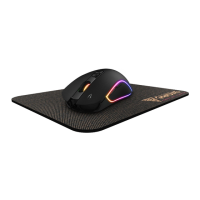
● GAMDIAS™ ZEUS E2 Optical Gaming Mouse
● GAMDIAS™ NYX E1 Gaming Mouse Mat
Package Contents


 To Next Page