EasyManua.ls Logo

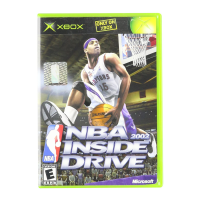
GAMES MICROSOFT XBOX NBA INSIDE DRIVE 2002 - User Manual

GAMES MICROSOFT XBOX NBA INSIDE DRIVE 2002
16 pages
Print Icon
To Next Page IconTo Next Page
Loading...
m
0102 Part No. X08-40995
Offensive Controls
TurboProtect the ball/Back down
Lob/Pass/Deke
Pass
Shoot/Pump fake
Crossover/Spin/Deke
Icon pass
Call for a screen
Pivot/Pick up
your dribble
Move
Call a time out Pause
Defensive Controls
Turbo
Crouch/Box out/Arm bar
Directional switch
Switch players
Block/Rebound
Steal
Icon switch
Call for a
double-team
Take a charge
Move
Intentional foul Pause
Question and Answer IconNeed help?

Do you have a question about the GAMES MICROSOFT XBOX NBA INSIDE DRIVE 2002 and is the answer not in the manual?

Summary

Offensive Controls Overview

Defensive Controls Overview

Safety Information

About Photosensitive Seizures

Explains risks and symptoms of photosensitive epileptic seizures from video games.

Avoid Damage to Your Television

Provides warnings about potential television screen damage from video games.

Using the Xbox Video Game System

Using the Xbox Controller

Avoiding Damage to Discs or the Disc Drive

GET IN THE GAME: Viewing the Main Menu

Best Shot Technique

Tips on timing the shot release for better accuracy.

GET CONTROL: Handling Your Players

Playing Offense

Button mappings and actions for offensive maneuvers.

Playing Defense

Button mappings and actions for defensive maneuvers.

Shooting and Free Throws

Shooting Control Modes

Details on Normal and Easy settings for shooting.

Performing Dekes

Playing in the Paint

Real-Time Coaching

Using Real-Time Coaching

Step-by-step guide to accessing and utilizing the coaching feature.

Play Your Own Way

Information on customizing team playbooks for personalized strategies.

GET A STRATEGY: Coaching Your Team

Setting Your Starting Lineup

Instructions on how to select and change team starting lineups.

Designating Matchups

How to assign defensive assignments and pressure to opponents.

Gameplay Tips

Advice on executing alley-oops and pump fakes for scoring opportunities.

GET YOUR GAME ON: Starting a Season

Using the Fantasy Draft

Guide to selecting players through a multi-round fantasy draft.

Making Good Management Decisions

Tips for roster management, substitutions, and free agency.

Viewing the League Home Menu

Overview of the options available in the league home menu.

Assemble Your Dream Team

Instructions for customizing teams using the Roster Editor.

GET A TITLE: Entering the Playoffs

Viewing the Playoffs Menu

Details on navigating the playoffs menu and managing matchups.

Elbow Room

Description of a specific defensive action after a missed shot.

GET BACK TO THE GAME: Managing Saved Data

Saving and Loading Games

Instructions for saving and loading game progress.

Copying and Deleting Saved Games

How to manage saved game files.

Saving Your Settings

Creating and managing user profiles for controller settings.

Player Status Icons

Explanation of icons indicating player status and performance.

GET SET UP: Adjusting Options

Adjustable Game Options

Overview of settings for gameplay, rules, sound, and visuals.

User Profiles Management

Creating, copying, or deleting user profiles.

Roster Editor

Functionality for customizing teams without negotiating trades.

Get Your Lean On

Instructions for backing down defenders and performing spin moves.

GET A CLUE: Learning the Lingo

Glossary of Basketball Terms

Definitions for various basketball terms used in the game.

Basketball Terminology

Abbreviations

Positions

Like Taking Candy

Credits

Warranty Information

Limited Warranty

Details of the 90-day limited warranty for the game software.

Warranty Limitations

Information on warranty exclusions and limitations.

Customer Support

Xbox Automated Game Tips

Information on accessing automated game tips via phone.

Xbox Live Game Tips

Information on accessing live game tips via phone.

Games Technical Support

Contact information for technical support via phone.

Summary

Offensive Controls Overview

Defensive Controls Overview

Safety Information

About Photosensitive Seizures

Explains risks and symptoms of photosensitive epileptic seizures from video games.

Avoid Damage to Your Television

Provides warnings about potential television screen damage from video games.

Using the Xbox Video Game System

Using the Xbox Controller

Avoiding Damage to Discs or the Disc Drive

GET IN THE GAME: Viewing the Main Menu

Best Shot Technique

Tips on timing the shot release for better accuracy.

GET CONTROL: Handling Your Players

Playing Offense

Button mappings and actions for offensive maneuvers.

Playing Defense

Button mappings and actions for defensive maneuvers.

Shooting and Free Throws

Shooting Control Modes

Details on Normal and Easy settings for shooting.

Performing Dekes

Playing in the Paint

Real-Time Coaching

Using Real-Time Coaching

Step-by-step guide to accessing and utilizing the coaching feature.

Play Your Own Way

Information on customizing team playbooks for personalized strategies.

GET A STRATEGY: Coaching Your Team

Setting Your Starting Lineup

Instructions on how to select and change team starting lineups.

Designating Matchups

How to assign defensive assignments and pressure to opponents.

Gameplay Tips

Advice on executing alley-oops and pump fakes for scoring opportunities.

GET YOUR GAME ON: Starting a Season

Using the Fantasy Draft

Guide to selecting players through a multi-round fantasy draft.

Making Good Management Decisions

Tips for roster management, substitutions, and free agency.

Viewing the League Home Menu

Overview of the options available in the league home menu.

Assemble Your Dream Team

Instructions for customizing teams using the Roster Editor.

GET A TITLE: Entering the Playoffs

Viewing the Playoffs Menu

Details on navigating the playoffs menu and managing matchups.

Elbow Room

Description of a specific defensive action after a missed shot.

GET BACK TO THE GAME: Managing Saved Data

Saving and Loading Games

Instructions for saving and loading game progress.

Copying and Deleting Saved Games

How to manage saved game files.

Saving Your Settings

Creating and managing user profiles for controller settings.

Player Status Icons

Explanation of icons indicating player status and performance.

GET SET UP: Adjusting Options

Adjustable Game Options

Overview of settings for gameplay, rules, sound, and visuals.

User Profiles Management

Creating, copying, or deleting user profiles.

Roster Editor

Functionality for customizing teams without negotiating trades.

Get Your Lean On

Instructions for backing down defenders and performing spin moves.

GET A CLUE: Learning the Lingo

Glossary of Basketball Terms

Definitions for various basketball terms used in the game.

Basketball Terminology

Abbreviations

Positions

Like Taking Candy

Credits

Warranty Information

Limited Warranty

Details of the 90-day limited warranty for the game software.

Warranty Limitations

Information on warranty exclusions and limitations.

Customer Support

Xbox Automated Game Tips

Information on accessing automated game tips via phone.

Xbox Live Game Tips

Information on accessing live game tips via phone.

Games Technical Support

Contact information for technical support via phone.

GAMES MICROSOFT XBOX NBA INSIDE DRIVE 2002 Specifications

General IconGeneral
PlatformXbox
GenreSports
PublisherMicrosoft Game Studios
DeveloperHigh Voltage Software
ESRB RatingE (Everyone)

Related product manuals