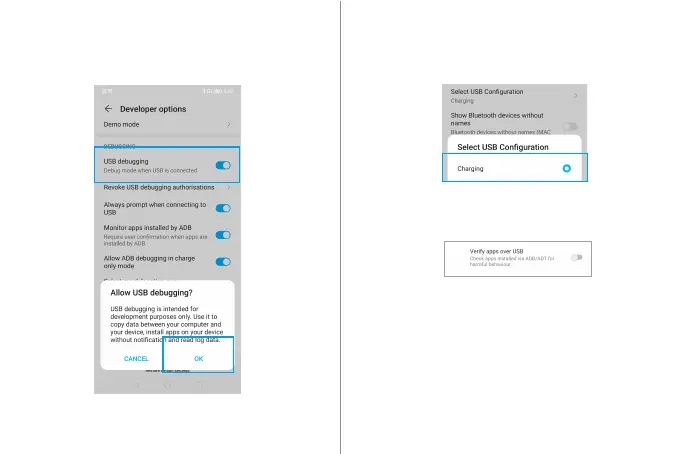
Step 3: Turn on [USB Debug mode]
[System]>[Developer options]>[USB debugging]
Step 4: Choose USB Mode
[System]>[Developer options]>[Select USB Configuration]>
[Charging].
Step 5: Disable [Verify apps over USB]
NOTE: If your mobile phone is Miui 8.0 or higher, you need to
turn on [USB Security Setting]; if your mobile phone is Hauwei
7.0 or higher, turn on [Allow ADB debugging in charge only
mode].



 To Next Page