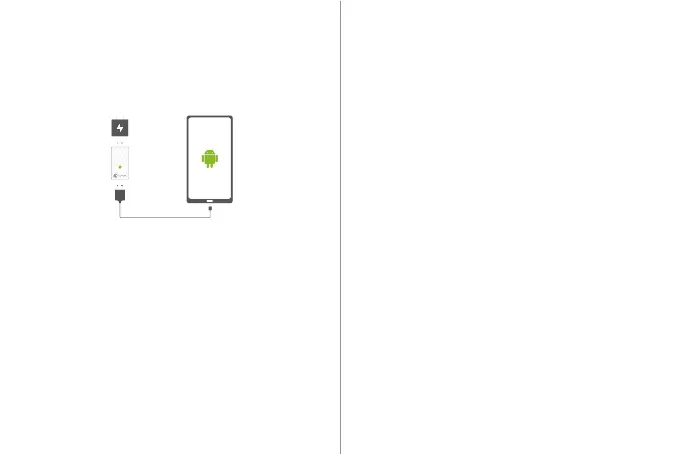
Step 1 : Plug A3 into the port of the 5V charger, then A3
indicator will stay red.
Step 2 : Connect A3 to the mobile phone via USB cable(as
following picture shows).
Step 3 : If the connection is completed, the on-screen will read
“Allow USB debugging?”; click “OK”, and A3 will flash in green
and be activated.
Step 4 : When the activation is completed, A3 indicator will
stay half-red and half-green, and GameSir World App will read
“Mapping starts successfully”, then A3 can be removed.
Step 5 : After Mapping activated, you can connect controllers
to the mobile phone via GameSir World App.
NOTE: If your Android phone is powered off, and it need
activating after powering on.
HOW TO DO ACTIVATION
한국어
패키지구성
GameSir G6/G6s모바일용 게이밍 터치롤러
마이크로 USB 케이블
사용자 안내서
시스템 요구사항
Android 9.0 이상
등록 안내
http://www.gamesir.hk/에 가입하여 ID를 등록하면 구입한 상품의 품질보증서 를
확인할 수 있으며 GameSir가 제공하는 전용 혜택을 누릴 수 있습니다.


 To Next Page