Need help?
Do you have a question about the GameSir T1 and is the answer not in the manual?
Guide to checking, charging, connecting the controller, and downloading games.
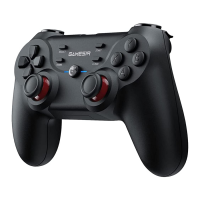
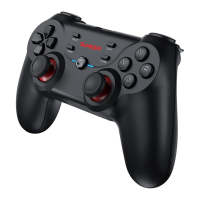
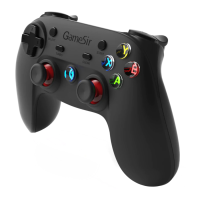
Detailed illustration of the GameSir T1 controller's buttons, joysticks, and ports.
Visual representation of Bluetooth and wired connection icons.
Lists the physical components provided in the GameSir T1 package.
Specifies the requirements for operating systems and compatible hardware.
Critical safety instructions and resources for customer support.
How to check battery power and the procedure for charging the controller.
Guide to adjusting button light brightness and understanding the auto-fire function.
Steps for Bluetooth pairing, including A+HOME/B+HOME modes and mouse activation.
Details on auto-pairing and configuring the controller for games on Android devices.
Instructions for connecting via Bluetooth 4.0 and USB cable to Android TV Boxes.
Guide to connecting the controller to a Windows PC using the USB cable for immediate use.
Details on auto-pairing for TV boxes and configuring the controller for PC games.
Steps for connecting the controller to a PlayStation 3 console via USB cable.
Explanation of the TURBO feature for continuous button presses in shooting games.
How to enable the TURBO function on buttons and how to disable it.
Information about apps for finding compatible games and using emulators.
Answers common questions about compatible devices, operating systems, and connection types.
Solutions for common issues like non-responsive controllers and seeking support.
Details FCC part 15 rules, including labelling, operational conditions, and modification warnings.
Explains FCC limits for Class B devices and methods to correct radio interference.
The GameSir T1 is a wireless controller designed for gaming across multiple platforms. It offers a versatile gaming experience with support for Android devices (smartphones, tablets, NVIDIA tablets, Android TV boxes), Windows PCs, Samsung Gear VR, and PlayStation 3.
The GameSir T1 functions as a multi-platform wireless gamepad, allowing users to play a wide range of games on various devices. It features a standard controller layout with dual joysticks, a D-pad, face buttons (A, B, X, Y), shoulder buttons (L1, R1, L2, R2), and additional function buttons like HOME, SELECT, START, TURBO, and CLEAR. The controller supports both Bluetooth 4.0 and wired USB connections, providing flexibility in how it connects to different systems. A unique feature is the ability to switch between different connection modes (e.g., A+HOME for Android, X+HOME for Windows PC, TURBO+HOME for PlayStation 3) to ensure compatibility. It also includes a mouse simulation mode for Android, activated by pressing SELECT + X, which allows for cursor control on the screen. The controller is designed to enhance the gaming experience by offering features like adjustable button light brightness and an auto-fire (TURBO) function.
 General
| Brand | GameSir |
|---|---|
| Model | T1 |
| Category | Video Game Controller |
| Language | English |

 To Next Page