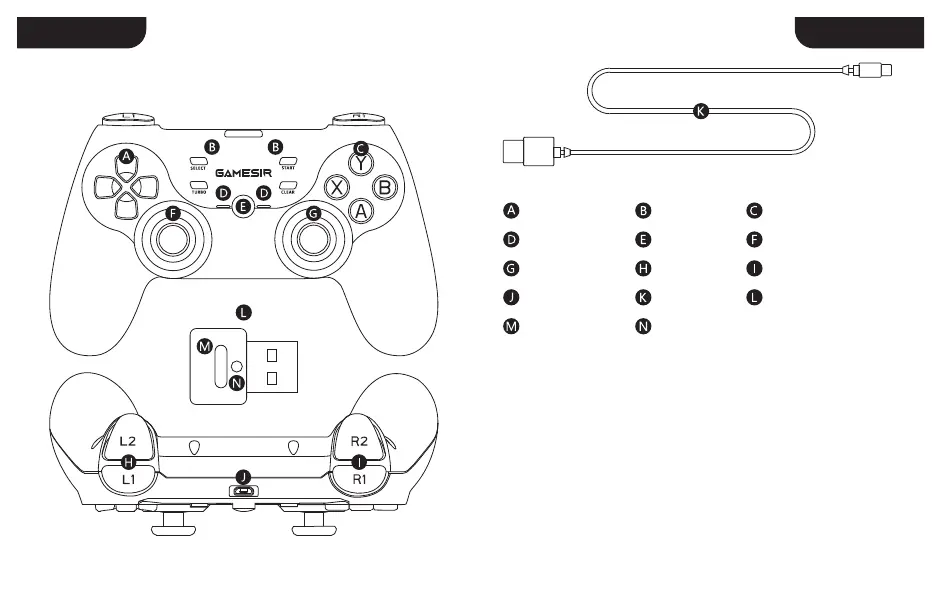
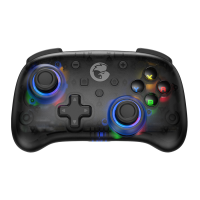
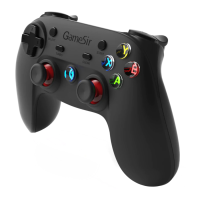
DEVICE LAYOUTS
1. Long press the corresponding key combinations to power on;
A+HOME = Android (Bluetooth) X+HOME = PC (Bluetooth Adapter)
B+HOME = iOS (Bluetooth) Y+HOME = Switch / Switch Lite (Bluetooth)
2. To enter the last shutdown mode, just press the Home key to power on.
POWER ON:
1. Press and hold the Home key for 3s to power off;
2. If no key is pressed on the gamepad within 10 minutes, it will shut down
automatically.
POWER OFF:
POWER ON/OFF
D-Pad Function Zone A / B / X / Y Key
Indicator Light HOME Key Left Joystick
Sync Button
Receiver’s Indicator Light
Right Joystick L1 / L2 Key R1 / R2 Key
Micro-USB Port USB Cable Bluetooth Receiver
ENGLISHENGLISH
2 3


 To Next Page