
 Need help?
Do you have a question about the Gamma Vacuum DIGITEL QPC and is the answer not in the manual?
Explains the meaning of warning, caution, and notice symbols and their implications.
Details safety symbols used in the manual to indicate hazards and necessary precautions.
Outlines critical warnings about electrical shock, heavy objects, and the importance of following manual instructions.
Provides general safety notices regarding operation, compliance, and adherence to instructions for safe use.
Lists product compliance with European CE legislation and harmonised standards for safety and EMC.
Instructions on how to check the unit for any physical damage upon delivery.
Guide to verify that all ordered items are included in the shipment.
Lists all necessary components and accessories for the controller installation process.
Step-by-step guide detailing how to physically install the DIGITEL QPC controller.
Specifies how to configure the number of high voltage channels available on the controller.
Details the options for setting the polarity of the output voltage for each HV channel.
Lists the standard and optional connector types used for high voltage outputs.
Explains how multiple output connectors can be wired in parallel to a single HV channel.
Describes the available communication interfaces for connecting the controller to other systems.
Provides a diagram illustrating the connection setup for the DIGITEL QPC controller and connected pumps.
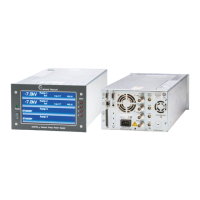
Details the components, indicators, and display of the controller's front panel.
Lists essential pre-operational checks and conditions for ion pump usage.
Outlines critical checks and interlock conditions before powering up HV systems.
Describes the methods available for controlling the high voltage supply to the pumps.
Introduces the main operational screen and its interactive elements for pump control and monitoring.
Details how to configure basic parameters for each power supply, such as pump name and size.
Covers advanced configuration settings for power supplies, including display values and foldback functions.
Allows configuration of system-wide settings like language, pressure units, and fan control.
Options for adjusting screen brightness and managing the screensaver function.
Explains how to configure analog outputs for monitoring voltage, current, or pressure.
Details the configuration of digital inputs for interlocks, switches, and external control signals.
Describes how to configure digital outputs for status signaling, setpoints, and error reporting.
Covers the configuration of the controller's relays for outputting system states or signals.
Configuration options for establishing serial communication, including protocol and baud rate settings.
Configuration settings for the optional Profibus communication interface.
Settings for configuring network communication via Ethernet, including IP and DHCP options.
Displays current status and configuration details for Titanium Sublimation Pumps (TSP).
Adds operational controls to the TSP sublimation status view for starting and stopping processes.
Configuration parameters for TSP sublimation cycles, including target current, time, and number of cycles.
Allows setting pressure limits to enable or disable TSP sublimation based on vacuum conditions.
Provides advanced settings for TSP operation, such as filament auto-advance and control modes.
Explains components of an error message and provides a detailed example for troubleshooting.
Details the high voltage output connectors and safeconn interlock connectors on the rear panel.
Describes the 9-pin Sub-D connector used for Profibus communication.
Details the 15-pin Sub-D connector used for communication with remote controllers.
Describes the RJ-45 connector for Ethernet interface and its status LEDs.
Details the 37-pin Sub-D connector for miscellaneous I/O functions and provides its pinout.
Describes the 9-pin Sub-D connector for serial communication and its supported standards.
Explains the command packet structure for Gamma protocol when used over a serial interface.
Details the structure of response packets received over a serial connection.
Provides a step-by-step example of calculating and verifying CRC checksums for serial commands.
Illustrates valid commands and expected responses for the Gamma protocol via serial communication.
A comprehensive list of supported commands for the Gamma protocol, including their parameters and interpretations.
Explains how to use the Gamma protocol over an Ethernet connection for remote control.
Provides an example of a command and its response for Ethernet communication.
General information regarding service, cleaning procedures, and making service requests.
Outlines the general terms and conditions of the product warranty.
Details the procedure for returning products for service, exchange, or repair, including RMA requirements.
 General
| Display | LCD |
|---|---|
| Power Supply | 100-240 VAC, 50/60 Hz |
| Operating Temperature | 0 to 50°C |
| Storage Temperature | -20 to 70°C |
| Type | Vacuum Controller |
| Accuracy | ±10% |
| Outputs | Analog |
| Pirani Measurement Range | 1.33E+3 to 1.0E-3 mbar (1.0E+3 to 7.5E-4 Torr) |
| Cold Cathode Measurement Range | 2.0E-2 to 1.0E-9 mbar (1.5E-2 to 7.5E-10 Torr) |
| Measurement Range | 1.33E+3 to 1.0E-9 mbar (1.0E+3 to 7.5E-10 Torr) |

 To Next Page
