Need help?
Do you have a question about the Gamma Rayon and is the answer not in the manual?
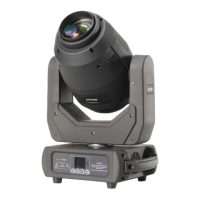
Lists items included: Rayon Fixture, PowerCon Cable, DMX Cable, Omega Mounting Clamps.
Instructions for truss mounting using omega brackets and safety cable rigging points.
Describes the fixture's 2 sets of RGB lasers with pan and tilt capabilities for dynamic effects.
Turn off laser diode before connecting/disconnecting power to prevent damage.
Mount away from paths, ensure load capacity, use safety attachment, keep from flammables.
Avoid standing below, no dimmer packs, initial smoke is normal.
Warranty void if manual instructions not followed or hazardous operations occur.
Outlines warranty periods for fixtures, video products, controllers, and accessories.
Explains how to use MENU, UP, DOWN, and ENTER buttons to navigate the display.
Describes the process of confirming, selecting, saving, and returning from menu options.
Lists DMX modes, sound modes, standby, display, pan/tilt reverse, test, hour, version, and reset options.
Defines DMX512, channels, steps, and universes for lighting control.
Illustrates daisy-chain connection of lights from console to multiple fixtures.
Details how to insert wires into terminal blocks for connection.
States the rule of connecting up to 32 fixtures in a single DMX daisy chain.
Describes 3-pin and 5-pin DMX cables, cable resistance, and what not to use.
Explains the purpose and connection of a DMX terminator with a 120 Ohm resistor.
States the fixture has a single 19-channel DMX mode for control.
Details channel assignments for Pan, Tilt, Intensity, Macros, and Macro Speed.
Advises periodic cleaning of lenses with a soft cloth and drying carefully.
Suggests checking power connection and pressing the menu button to confirm power.
Recommends checking cables, DMX address/mode, direct connection, and trying another controller.
Lists input voltage, total power, control modes, and channels.
Details rotation angles, dot distance, power stability, laser wavelength, spot diameter, and ellipticity.
Includes preheating time, use/storage temperature, modulation, laser output power, and gross weight.
 General
| Brand | Gamma |
|---|---|
| Model | Rayon |
| Category | Lighting Equipment |
| Language | English |


 To Next Page