
 Need help?
Do you have a question about the Gammaflux TTC and is the answer not in the manual?
Select zones to scroll and press both view area select and enter together for rows to scroll automatically.
Select zones to scroll and press both change area select and enter together for zones to scroll individually.
Details power-up error codes like E-0 (no zones found) and E-1 (configuration mismatch).
Explains menu mismatch errors (E-2) and the procedure to clear them.
Covers row selection, row alarm status, and group selection (All/Custom).
Displays actual values, deviations, and allows boost/standby operations.
Indicates selected zones and manual/percentage operation status.
Details high and low temperature alarms with default deviation settings.
Covers T/C open, reversed, or pinched conditions for accurate readings.
Addresses open fuses, shorted/open heaters, and uncontrolled outputs.
Explains restoring/saving mold setups and individual zone configurations.
Details settings for boost, standby, tuning, alarms, and limits.
Covers security level access, zone finder activation, and LED tests.
Guides on diagnosing T/C, heater, and output issues based on alarm indicators.
Provides steps for checking resistance of T/C, heaters, and cables.
Details how to identify bad modules or controller-related problems.
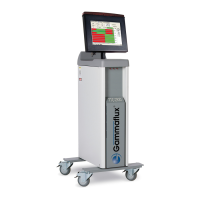
The Gammaflux TTC International interface is a sophisticated control system designed for advanced setup and troubleshooting in industrial applications, particularly those involving temperature control. This device allows for precise management of multiple zones, offering both automatic and manual control options, and incorporates a comprehensive error detection and diagnostic system.
The TTC International interface serves as a central control unit for managing temperature zones. It enables users to monitor and adjust various parameters, including temperature set points, output percentages, and alarm thresholds. The system is designed to operate with high accuracy and reliability, providing real-time feedback on zone status and performance.
The core functionality revolves around two primary scrolling modes:
The interface supports both automatic and manual temperature control. In automatic mode, the system maintains a set temperature, while in manual mode, users can directly control the percentage of power output to a zone. Advanced features like "Boost" allow for temporary temperature increases, and "Standby" mode provides a controlled temperature reduction for material protection or remote input.
The device is equipped with a clear digital display that shows actual temperature values, percentage output, and deviation from the automatic set point. Temperatures can be displayed in either Celsius or Fahrenheit. The system includes various alarm indicators for critical conditions such as high/low temperature, thermocouple issues (open, reversed, pinched), open fuses, shorted/open heaters, and uncontrolled output.
Key specifications and configurable limits include:
The physical interface includes various connectors for thermocouples, power input/output, auxiliary input/output, and communication modules. It features a main disconnect, ground lug, and a fan for cooling.
The TTC International interface is designed for ease of use while offering extensive customization.
The system incorporates several features to facilitate troubleshooting and maintenance:
The TTC International interface is a robust and versatile control system, offering comprehensive features for precise temperature management, advanced configuration, and efficient troubleshooting in demanding industrial environments.
 General
| Brand | Gammaflux |
|---|---|
| Model | TTC |
| Category | Temperature Controller |
| Language | English |

 To Next Page