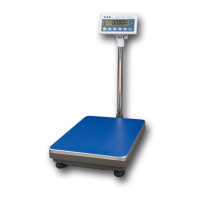
This document outlines the operation and features of the PSE-series electronic scales, designed for various weighing applications. The manual covers models PSE-30, PSE-45, PSE-75, and PSE-150, providing a comprehensive guide for users to understand and utilize the device effectively.
Function Description
The PSE-series scales are electronic weighing devices primarily used for measuring the weight of articles. They are equipped with an LCD display that shows the weight readings, along with other operational information. The scales support multiple units of measurement, specifically kilograms (kg) and pounds (lb), allowing users to switch between them as needed. Beyond simple weighing, these scales also offer a counting function, enabling users to determine the quantity of multiple identical articles by weighing a sample. This feature is particularly useful in inventory management or situations requiring precise counting of small items. The scales are designed to be powered by either an AC/DC adaptor or four 1.5V AA batteries, offering flexibility for both stationary and portable use.
Usage Features
The operation of the PSE-series scales is designed to be user-friendly, with several key features to enhance usability:
- Power On/Off: The scale is turned on by holding down the "ON/OFF" key until "ON" appears on the display. Subsequently, it shows battery voltage, scale range, and a stabilization sequence ("F----1" to "F-----9") before displaying "0", indicating readiness for use. To turn off, the "ON/OFF" key is held until "OFF" is displayed.
- Tare Function: The "TARE" key is crucial for accurate weighing, especially when using containers. If the display shows a non-zero reading with an empty platform, pressing "TARE" will reset it to zero. When a container is placed on the platform, pressing "TARE" after stabilization will zero out the container's weight, allowing only the net weight of the article placed inside to be measured. Removing both the article and container will show a negative value equal to the container's weight, which can be reset to zero by pressing "TARE" again.
- Backlight Control: The "LIGHT" key manages the display backlight. Users can cycle through "B OFF" (backlight always off), "B ON" (backlight always on), and "B AUTO" (backlight on when data changes, off after 3 seconds of stabilization). This feature helps conserve battery life and improves readability in various lighting conditions.
- Counting Function: To use the counting feature, the "COUNT" key is pressed to enter the counting state. Users first select the quantity of samples (1, 10, 20, 50, or 100) based on the articles' weight for precision. After placing the samples on the pan and pressing "COUNT", the display shows "1" and "pcs", indicating the scale is in counting mode. The "UNIT" key can then be used to select the desired sample quantity. The scale will then display the total count of similar articles. Pressing "COUNT" again returns the scale to normal weighing mode.
- Unit Conversion: The "UNIT" key allows for easy switching between kilograms (kg) and pounds (lb), accommodating different measurement preferences. The conversion factor for pounds is provided as 1lb = 453.59g.
- Calibration: The scales can be calibrated to ensure accuracy. This process involves holding down the "TARE" key and then pressing "UNIT" until "C XXX" appears on the display, where "XXX" represents the required standard weight (e.g., "C 20" for 20kg). Only the calibrating weights should be placed on the platform. Once stable, the scale displays the weight of the calibrating weights and the "kg" unit, signifying successful calibration.
- Setting Mode: An advanced setting mode allows users to customize certain operational parameters. To enter this mode, the scale must first be turned off. Then, hold down the "UNIT" key and press the "ON/OFF" key simultaneously. Within this mode, the "UNIT" key cycles through parameters (C1-C3), and the "TARE" key changes their values (0 to 4).
- C1 (Sensitivity): This setting adjusts the scale's responsiveness. A larger number (0-4) indicates less sensitivity but greater stability.
- C2 (Filtering Strength): This parameter controls the reaction speed versus stability. A larger number (0-3) results in slower reaction speed but improved stability.
- C3 (Auto Power-off): This setting determines the idle time before the scale automatically turns off. Options include always on (0), 15 min (1), 30 min (2), 45 min (3), and 60 min (4). The default setting is 15 minutes.
After adjusting settings, pressing the "UNIT" key again saves the changes and restarts the scale in normal weighing mode.
Maintenance Features
While the manual does not explicitly detail "maintenance features" in a separate section, it provides essential guidelines for ensuring the longevity and accuracy of the scale:
- Placement: Before use, the scale must be placed on a stable, level platform. This is critical for accurate readings. The adjustable feet should be used to ensure the scale is perfectly level.
- Warm-up Time: It is recommended to power on the scale 15 minutes before use. This warm-up period allows the internal components to stabilize, contributing to more accurate measurements.
- Calibration: Regular calibration, as described in the usage features, is a key maintenance activity to ensure the scale continues to provide precise measurements over time. This helps compensate for any drift or environmental factors that might affect accuracy.
- Power Supply: The flexibility of using either an AC/DC adaptor or AA batteries allows users to manage power effectively. When using batteries, monitoring the battery voltage (displayed upon power-on) helps prevent unexpected power loss during operation.
By following these guidelines and utilizing the various functions, users can ensure reliable and accurate performance from their PSE-series electronic scales.

 Need help?
 General

 To Next Page