Batteries
e Gannet Pro / Pro+ has two batteries required for operation. One battery powers the
drone, the other powers the drone remote controller.
It is important to charge the batteries before use and install them correctly.
DO NOT charge the remote control with a charger over 5.5V.
Drone Battery Installation
When inserting the battery, observe the
following precautions:
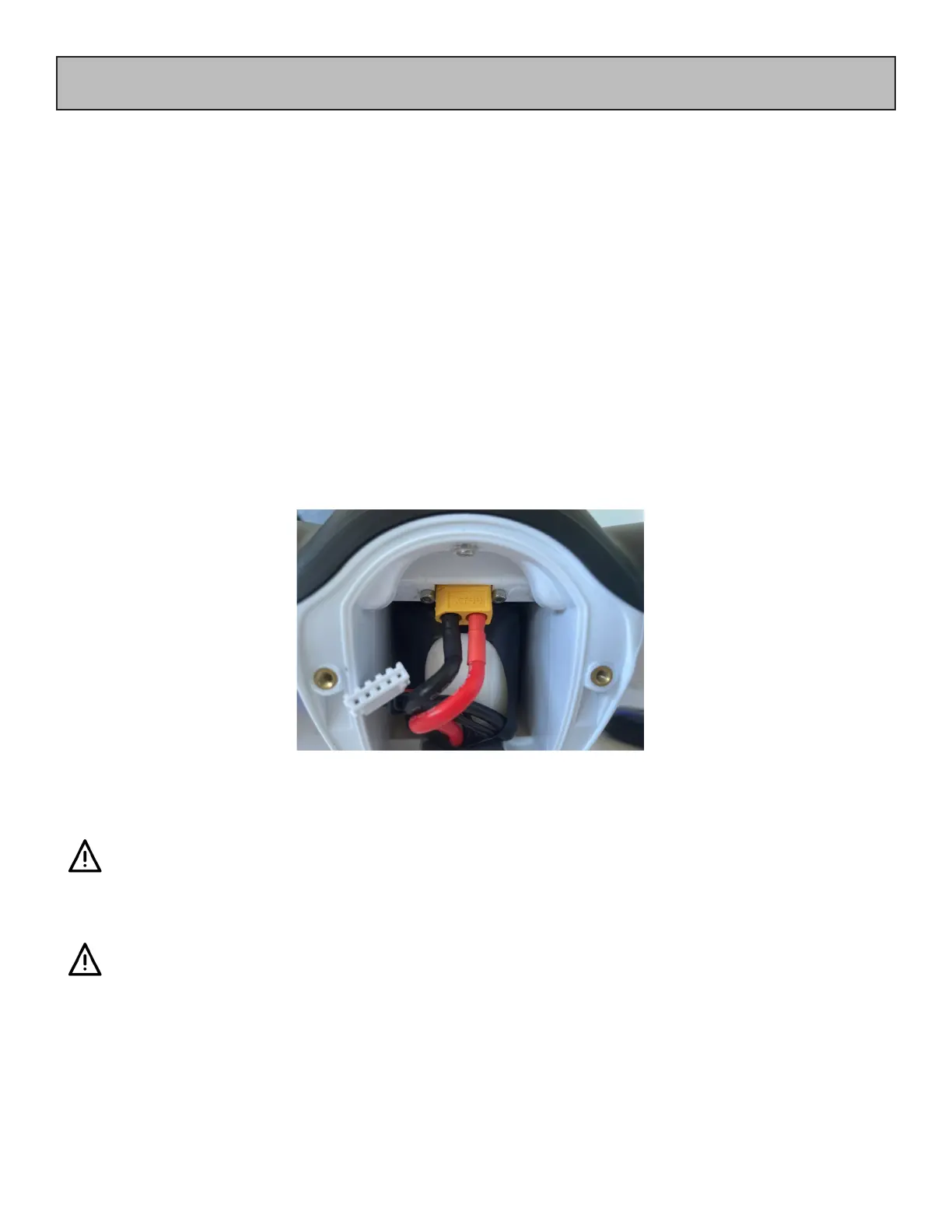
- Insert the battery with care with its cables on the underside side of the drone
- Connect the battery to the connector on the upper side of the drone
- Observe the label on the battery
Once connected to the drone, the battery cables and connectors must be placed in
the space between the battery and the rear case of the drone.
Do not use the battery
• If there is any visible damage to any of the cells,
• If the battery is swollen or puy.
• e power leads or connector is damage.
• If the battery is not holding its charge.
• Large variance (>0.1v) in the voltage of the cells.
ese are all signs of a faulty or failing battery and failure in ight
could result in a crash.


 To Next Page