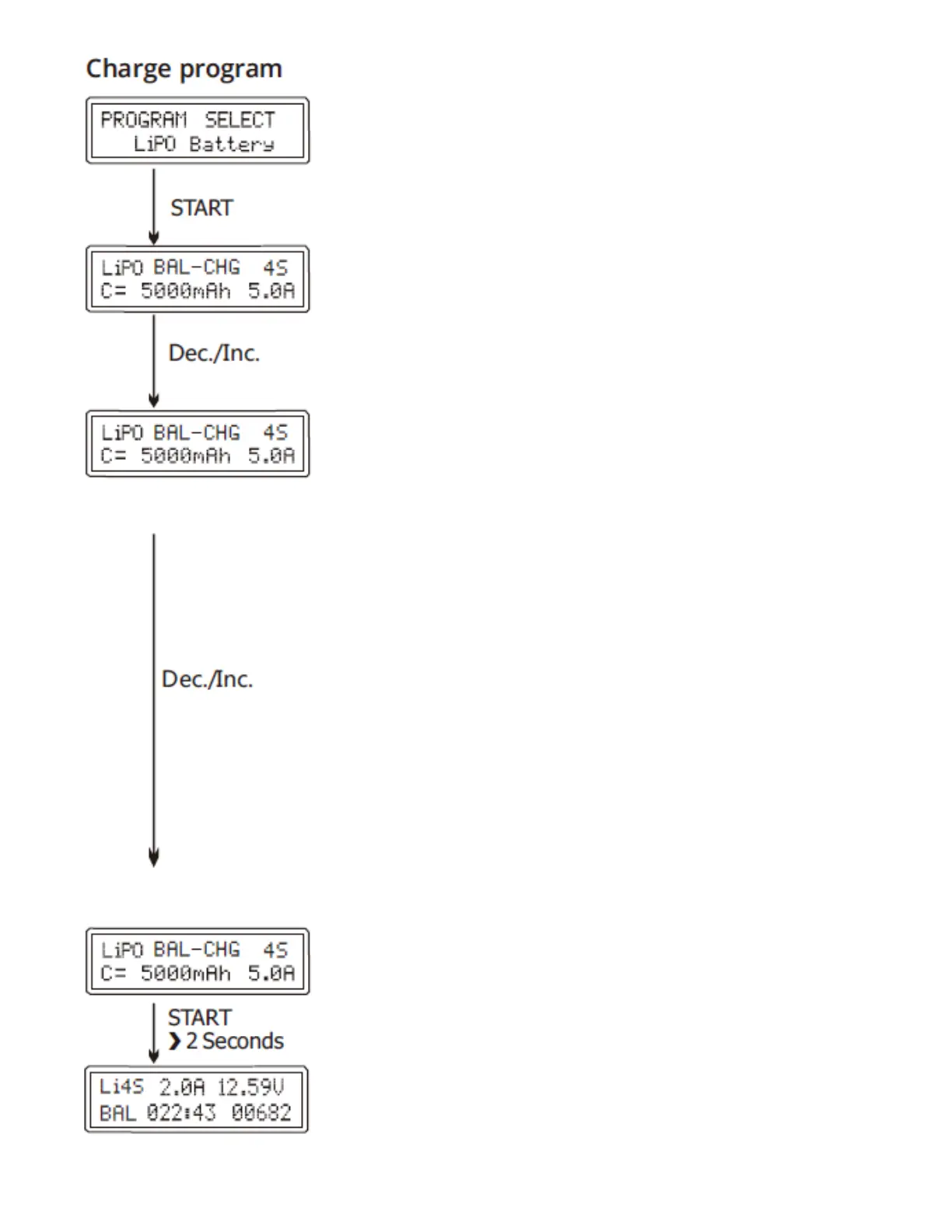
BATT/PROGRAM Select
Press “STOP” and “-“to go through all the programs
and press “START/ENTER to enter LiPo BATT program.
Mode Select
Press “+” and “-” to go through all the modes (balance
charge mode,storage mode, discharge mode and fast
charge mode).
Battery Setting
Press START, the present value will start to blink. Press
”+” and ”-” to set the battery cells. And press START to
conrm your setting. At the same time, Press START,
the present value will start to blink. Press “+”and “-“to
change the value and press START to conrm your
setting. Charger automatically recommend charging
current according the capacity and cell count setting
value, Press START to conrm if no objection, or
manually set the current by pressing “+”or”-“button,
then press START to conrm.
Program Start
Press and hold START for 2 seconds to start the
program.
Charging Status
It show the real-time data during charging.



 To Next Page