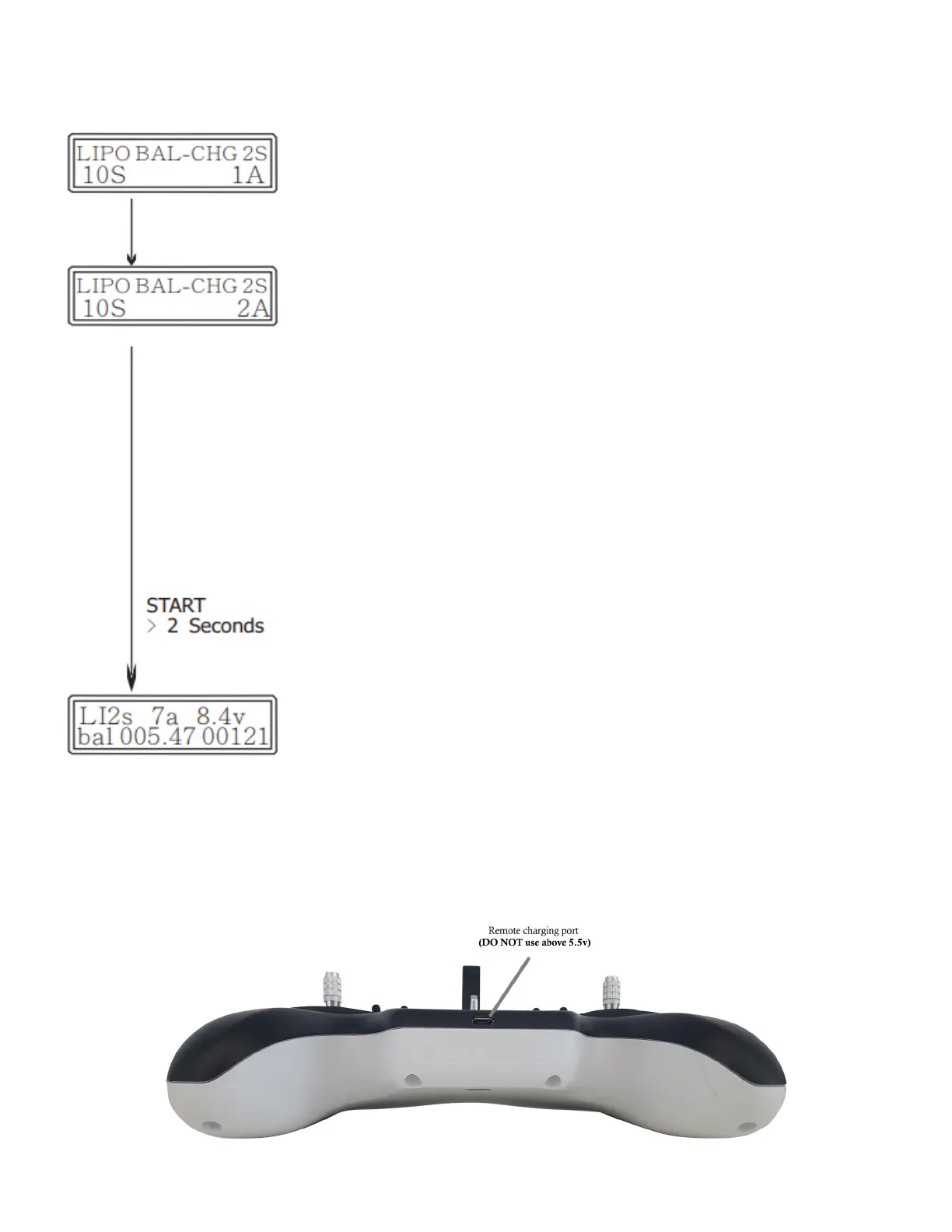
Operation Instructions
1. Standby
Aer the charger is powered on, it will enter standby mode.
Connect the battery and the balance port. e charger will
automatically detect the connected battery type.
2. Charging Current selection
Aer entering the main interface, you can press the “INC” and
“DEC” buttons to set the charging current value. Check that the
selected current does not exceed the battery specications.
en press the “START” button to conrm the set value.
If there is no action in 10 seconds the program will automatically
recommend a charging current according to the number of cells
and capacity. e 10 second countdown will be displayed in the
lower le corner of the current setting interface. e settings
buttons will reset the countdown timer.
3. Start charging
Press and hold the “START” button for 2 seconds to start the
charging program. When in charging mode, the “INC”, “DEC” and
“ENT” buttons are not available. Press the “ESC” to stop charging.
Charging the remote


 To Next Page