GANSHORN Medizin Electronic GmbH Service Manual Ref.No. 03 140 0 046
PowerCube-Ergo-CASE_ENG_rev.02, 23.11.2012 Chapter 6, Troubleshooting, Checks & Adjustments, page 10 of 16
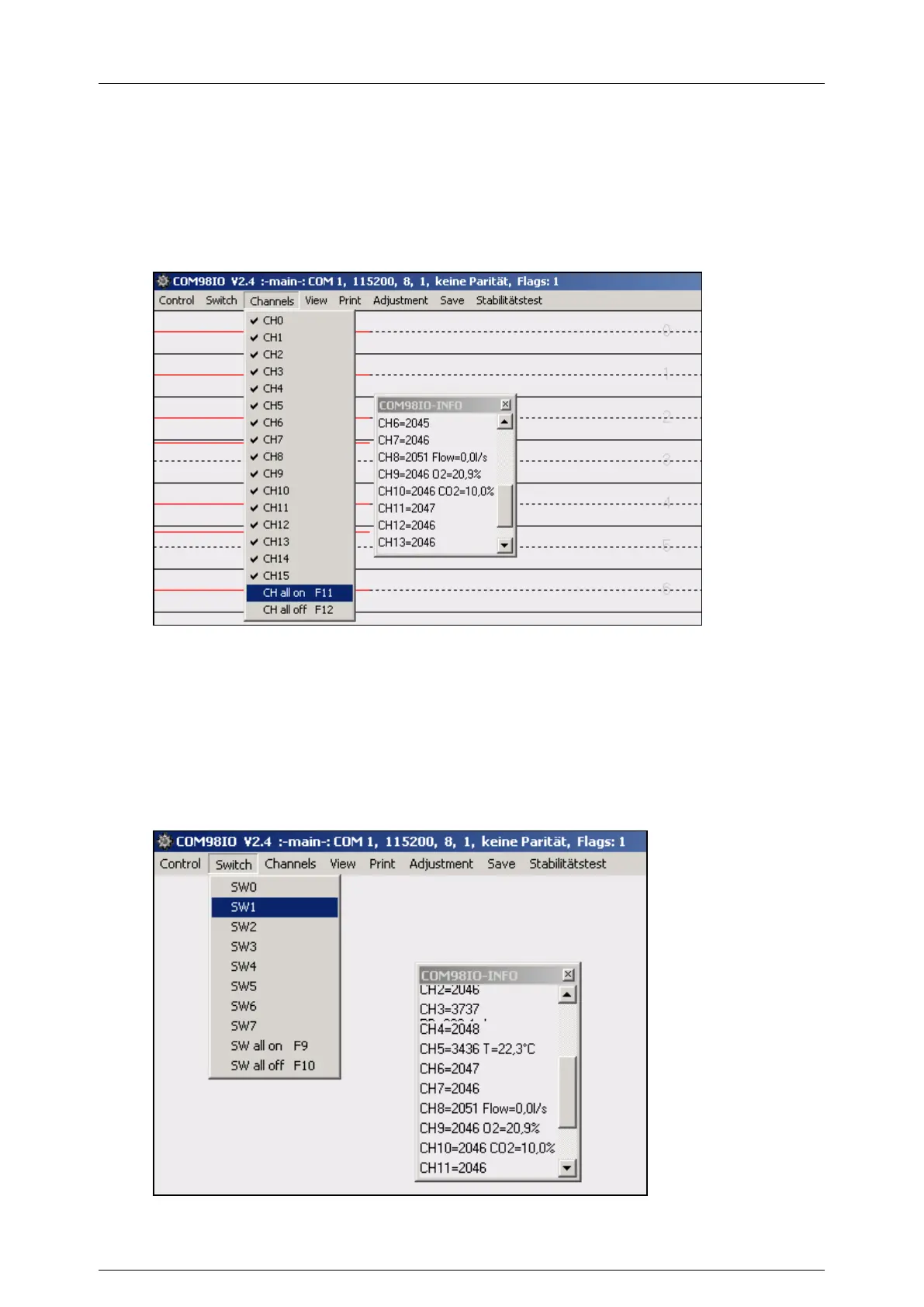
How to select measurement channels for check and adjustment
Click on register card “Channels”
= the list of all measurement channels is displayed on the screen
select the desired channel(s) for graphical display on the screen
= The more channels that are selected, the smaller the scales become
= The actual measurement value is displayed as red curve
= The COM98IO-Info-Window gives numeric values
Pict.: COM98IO, Drop-down menu “Channels”
How to select switch channels for adjustment and checks
Click on “Switch”
= the list of all switch channels is displayed on the screen
Select the desired channel(s) for functioning
= The selected switches activate the hardware (e.g. suction pump, calibration valve)
= The COM98IO-Info-Window gives simultaneously numeric values of the measurement
channels
Pict.: COM98IO, Drop-down menu “Switch”


 To Next Page
 Loading...