and to adjust. After adjusting, press “TIMER ON” and water
temperature will be seen. 30 seconds later , the display panel will return
to the normal mode;
B. Press to set timer off. When the indicator light is on and the
time is flashing, press again to set hour. Use and to
adjust. Before the flashing stops, press to set minutes. Use
and to adjust. After adjusting, press and water temperature
will be seen. 30 seconds later, the display panel will return to the normal
mode;
C. Cancel timer on and off
Press or to cancel timer on and off. When the number is
flashing, press . When timer indicator light is off and LED shows
water temperature, the timer on and off is canceled. 30 seconds later, the
display panel will return to the normal mode.
VII. Testing
1
11
1.
..
.Inspection before use
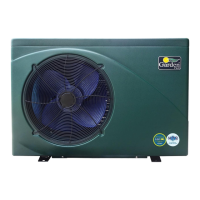
A.Check the installation of the plumbing installation and the Heat Pump
against the Heat Pump Plumbing schema.
B.Check the electric wiring according to the electrical wiring and earthing
diagrams.
C.Make sure that the mains power is swithched off.
D.Check the temperature setting.
E.Check the air intake and outlet.



 To Next Page