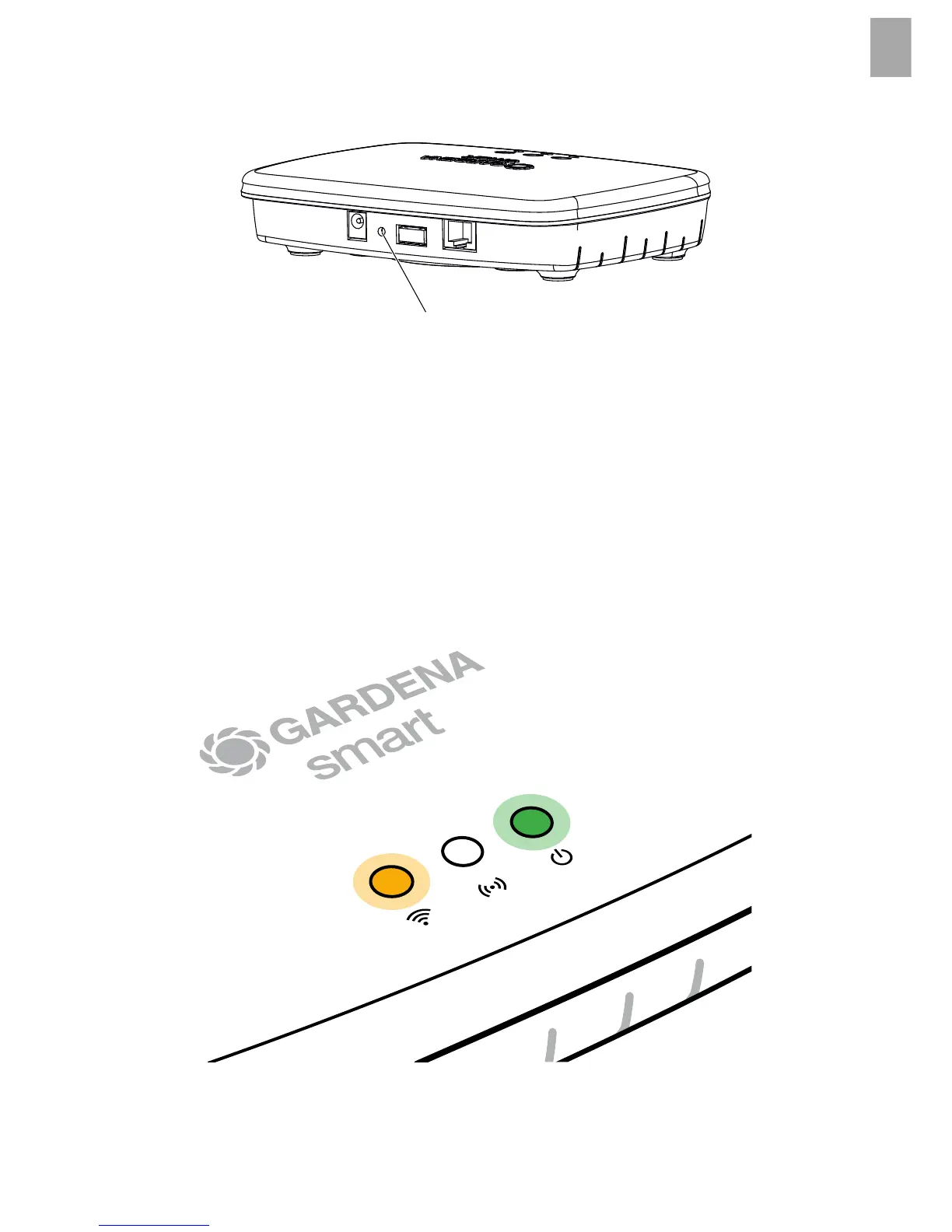
The smart Gateway will be reset to the factory settings.
You may need to use the reset function if for example you want to link your
Gateway to a new Wi-Fi network.
1. Disconnect the Gateway from the power supply.
2. Press and hold down the Reset key
7
; reconnect the Gateway to the
power supply and wait until the Power-LED lights up yellow.
3. Release the Reset key
7
and wait until the Power-LED lights up green.
15


 To Next Page