10
GB
4. Operating Your Filter / Stream Pump
If using a pond filter, separate the filter outlet and the pump by
as much distance as possible.
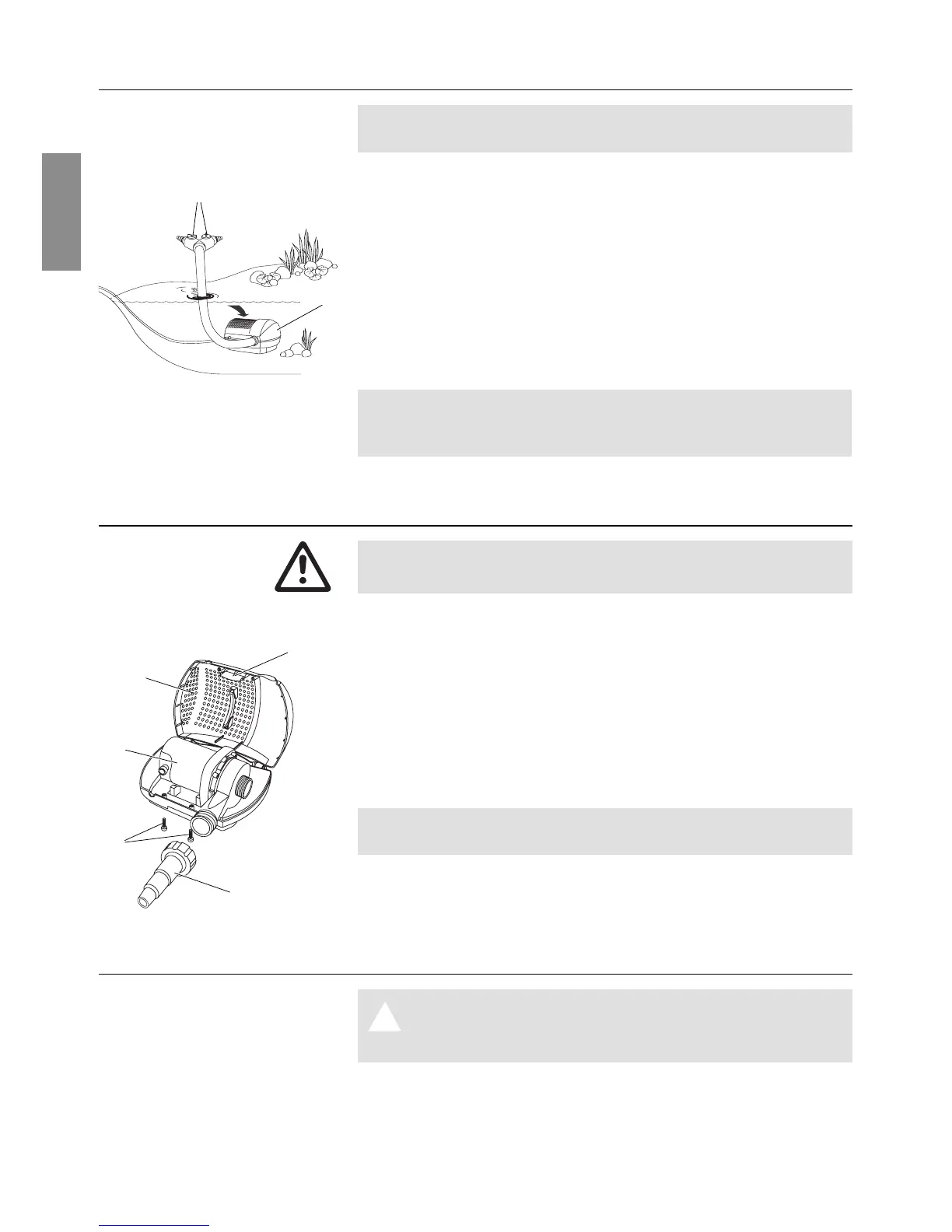
Note the maximum submersion depth (see 9. Technical Data).
1. Place the pump in the water in such a way that the filter
housing
4
is covered by at least 20 cm of water.
2. Plug mains plug into an AC socket.
Warning: Pump will start immediately.
Only for FSP 5500 DUO / FSP 8000 DUO / FSP 15000 Duo:
3. Set the quantity of water required for the consumers (filter /
stream) with the two regulators
5
(if there is only one
consumer, close the other regulator).
Note: When in continuous operation, small fish and e.g. newts
are kept away from the pump. When operated with intervals, it
would be possible for small animals to enter the pump.
5. Maintenance
Warning! Electric shock!
V Disconnect the pump from the mains before working on it.
1. Take filter / stream pump out of the water.
2. Unscrew universal connector
1
.
3. Unscrew the screws
z
S.
4. Press in snap fastening
6
and open up the filter housing
4
.
5. Remove pump
7
and clean the filter housing
4
with a jet of
water.
6. Re-assemble pump
7
in reverse order.
Do not use any hard objects or powerful detergents for cleaning
the set!
6. Trouble-shooting
Warning! Electric shock!
A V Disconnect the pump from the mains before
working on it.
1. Remove pump from the filter housing (see 5. Maintenance).
Switch pump on:
Clean filter housing:
Clean the pump:
5
4
6
7
1
4
z
S



 To Next Page