EasyManua.ls Logo

Garett ACE 150 - User Manual

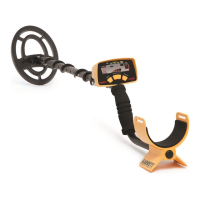
Garett ACE 150
18 pages
Print Icon
To Next Page IconTo Next Page
Loading...
© 2015 Garrett Electronics, Inc. PN 1526100.K 1015
1881 W. State Street
Garland, Texas 75042
Tel: 1.972.494.6151
Email: sales@garrett.com
Fax: 1.972.494.1881
® ®
ACE 150/250 Owner’s Manual
Owner’s
Manual
English/Spanish/French/German
Speed your recoveries with the Garrett
PRO-POINTER II or the PRO-POINTER AT
Visit garrett.com for more information

Questions and Answers

Summary

ACE ASSEMBLY

ACE 150 FEATURES

Target ID Legend

Identifies commonly found targets and metals.

Target ID Cursor

Indicates probable identity of a detected target.

Lower Scale

Shows discrimination pattern and audible signal presence.

ACE 150 CONTROLS

ACE 250 KEY FEATURES

POWER Pushbutton

Turns unit on/off and resets settings to factory recommendations.

Five MODE options

Includes All-Metal, Jewelry, Coins, Custom, and Relics modes.

ACE 250 CONTROLS

DIGGING A TARGET

TROUBLESHOOTING GUIDE

Garett ACE 150 Specifications

General IconGeneral
Operating Frequency6.5 kHz
Sensitivity Adjustment4 levels
Target IDYes
Weight1.2 kg
Search Coil6" x 9" PROformance
LengthAdjustable, 1.06m - 1.29m (42" to 51")

Related product manuals