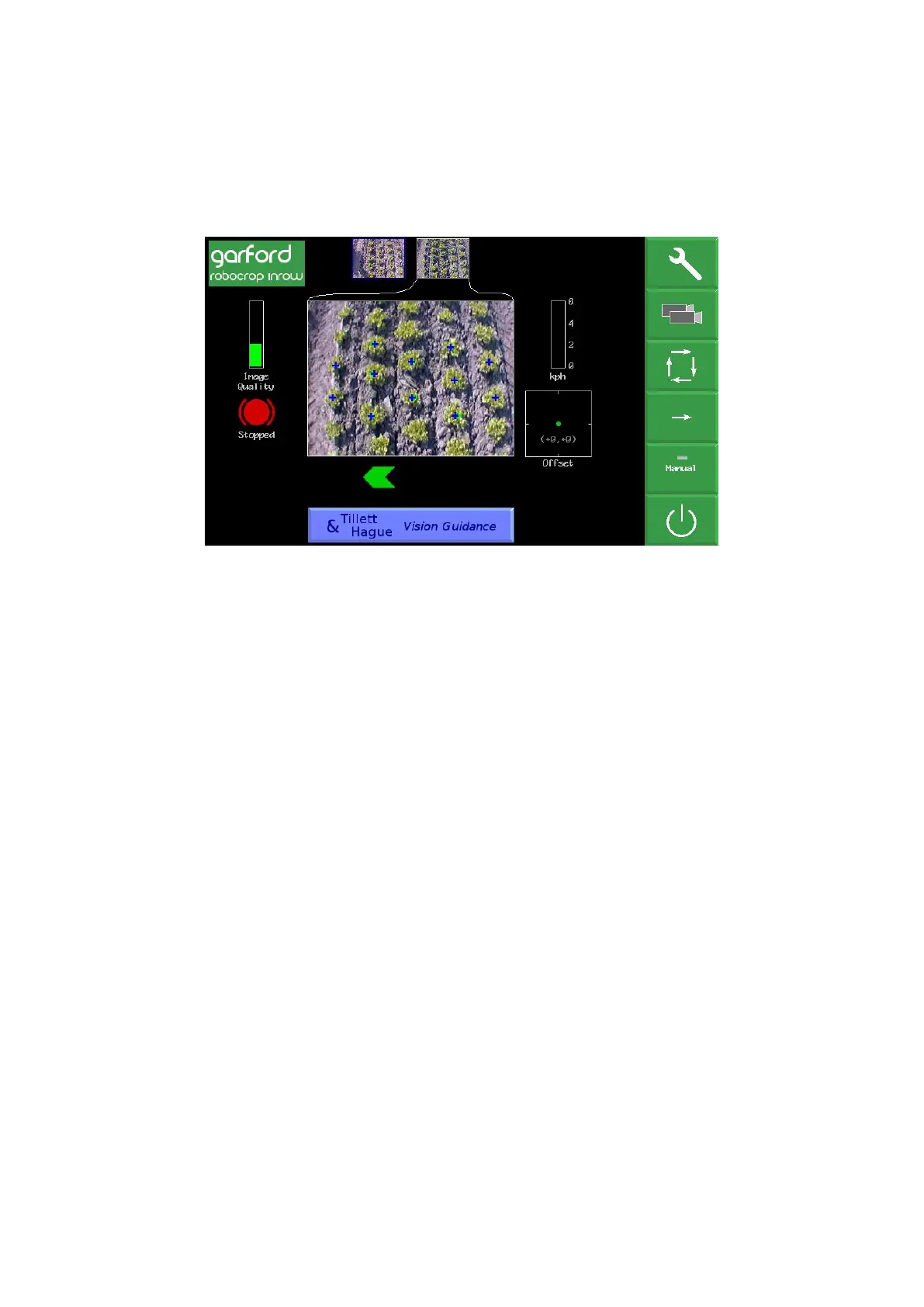
• A green dot and red/green chevrons
below the image indicate side shift
position. A red chevron with a vertical bar indicates the limit of travel has been reached.
This should not be allowed to occur for extended periods.
• The fine offset gauge shows the amount of left or right bias set by the user. This is used to
compensate for minor lateral camera misalignment, but can also be useful on side slopes.
By default, fine offset has six 1cm steps in either direction, though the number and size of
steps is configurable.
The function of touch screen buttons located along the right of the screen are given below:
• Spanner symbol, this button accesses the setup menu (section 9).
• “Select” on multi camera systems and blank for single camera systems. This touch screen
button toggles between cameras affecting the main image displayed and fine offset context.
Alternatively, pressing on a thumbnail image will also select it for full size display.
• ← moves fine offset left 1cm, or when in manual mode, side shifts/steers 7% left.
• → moves fine offset right 1cm, or when in manual mode, side shifts/steers 7% right
• Touch screen button labelled “Manual” disables vision steering and allows the user to move
left or right manually in steps of 7% of potentiometer stroke for each press of the arrow
buttons. For disk steered machines this is achieved by automatically steering the discs to
maintain the desired slide position. To prevent mechanical damage these functions only
operate when lifted or moving.
In manual mode green lines representing the template and purple cross hairs are locked on
the screen whilst retaining a live video image. These are useful when adjusting cameras.
Return to vision guidance by pressing same button, now labelled “Camera”, again. By
default the side shift/discs remain in the position they were placed manually until forward
movement under vision guidance is commenced, or an implement lift is detected. The later
will centralise the side shift/discs. Alternatively, systems can be configured such that side
shift/discs centralise on entry into manual mode (section 9.3).
For single section side shift machines manual control is retained with a normal tracking
screen when moving forward so operators can see if vision guidance is likely to succeed.
For machines with mechanical guidance feelers the “Manual” button cycles between
manual mode, feeler and vision guidance. In manual or feeler guidance mode the fine
offset slide bar is replaced by Text in red capitals indicating the mode in use. For machines
fitted with a remote override manual control box the text would say “REMOTE MANUAL”
when the box was switched on.
• Pressing the touch screen button with the power switch logo enters a shutdown screen from
which you can confirm shutdown.



 To Next Page